

AI intrusion detection on existing CCTV
Woodcock AI watches the CCTV cameras you already have for people entering restricted zones or breaching the site after hours, and sends an alert with the clip in seconds. Because it looks for people and vehicles rather than any change in the picture, it cuts out most of the nuisance of motion alerts. The self-learning AI is fitted to each site and learns its cameras, and a feedback button on every detection feeds into retraining.
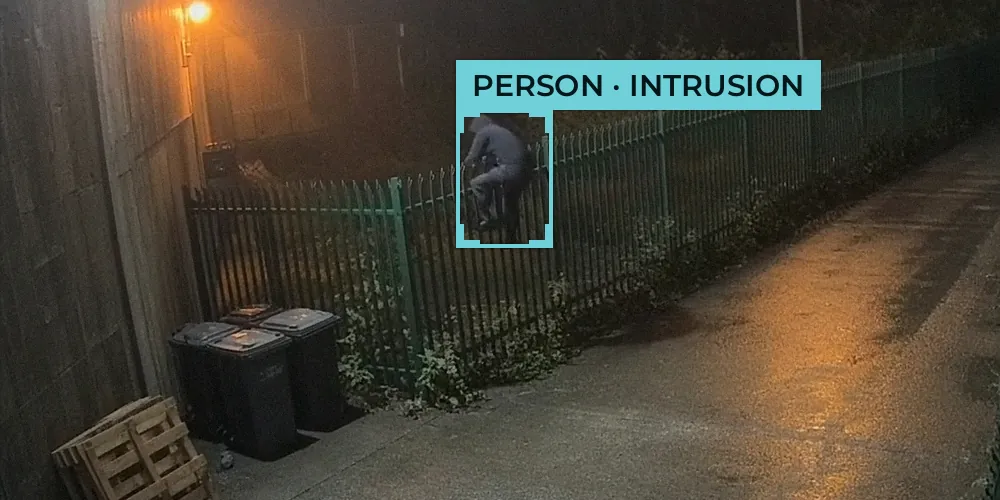 02:14 · Rear fence camera
Draw a zone, set a schedule, see what alerts
Drag across the illustrative frame to draw a detection zone. Then choose what to watch for, when, and the time of the event.
How AI reduces CCTV false alarms
Basic motion detection reacts to anything that changes in the picture, so animals, headlights, rain and moving trees all set it off. Woodcock AI looks at what is actually there and only alerts on people or vehicles in the zones and at the times you choose. Fewer alerts means each one gets looked at.
Motion alarm vs AI alert
Motion alarm
- Fox crosses the yardAlarm
- Headlights sweep the fenceAlarm
- Rain and wind move the treesAlarm
- Person climbs the fenceAlarm, with no detail
Every trigger looks the same, so people stop checking.
Woodcock AI alert
- Fox crosses the yardNot treated as an intruder
- Headlights sweep the fenceIgnored
- Rain and wind move the treesIgnored
- Person climbs the fenceAlert with the clip: “One person is climbing the fence by the bins.”
Alerts that matter, with the clip and a description, so someone can act.
Illustrative comparison. Results depend on camera placement, zones and schedules, which the free site assessment sets up with you.
Intrusion, human and vehicle detection on one platform
- Restricted zonesAlerts for people entering the areas you define, such as a perimeter, a compound or a quarantine bay.
- After-hours breachesSchedules so cameras only alert when the site is closed, at weekends or overnight.
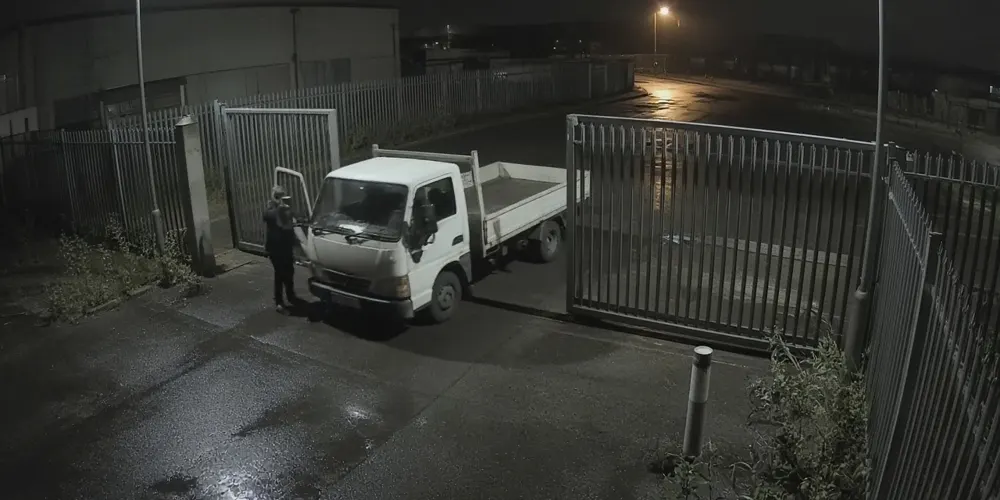
- VehiclesA van at the gate with its lights off, or a lorry at the tipping bay outside permitted hours.
- Same cameras, more detectionRun smoke and fire, PPE and other modules on the same cameras and app. See video smoke detection on existing CCTV.
- Good to knowIt needs a clear view of the area and enough light or infrared, and it may miss distant or very small targets.
- Where it is usedFrom yards on waste and recycling sites to industrial sites. Installers can add it to every CCTV install through the reseller programme.
- Edge or cloudRuns on the on-site edge server or the Woodcock AI Cloud. See how Woodcock AI works.
Intrusion detection questions
People, vehicles, animals, zones and alerts.
Can it tell people and vehicles from animals?
Can I set detection zones and schedules?
How do alerts reach a monitoring centre?
Can I get intrusion alerts on my phone?
Keep exploring
Sector packs, the system and the guides.