

How to reduce CCTV false alarms
Most CCTV false alarms come from motion detection reacting to rain, spiders, headlights, shadows and animals. Clean lenses, better angles and tighter zones fix many of them. Beyond that, AI that recognises what it sees and learns each camera on your site cuts the noise far more than sensitivity settings can.
Why false alarms happen
A basic motion rule compares one frame with the next and raises an alert when enough pixels change. It has no idea what changed. A raindrop, a moth, a sweep of headlights and a person climbing a fence all look the same to it: a change in pixels.
That is why the same few causes turn up on almost every site. Pick the one you see most often to find out why it triggers and what to try first.
Rain and snow
Why it triggers: Drops close to the lens catch infrared light and look like fast-moving objects. Heavy rain changes thousands of pixels at once.
What to try: Fit a hood or move the camera under an eave, keep the lens clean, and lower sensitivity on exposed cameras in wet weather.
Spiders and cobwebs
Why it triggers: Infrared LEDs attract insects at night, and spiders follow. A web or spider on the dome sits inches from the lens, so it fills the frame and moves with every breeze.
What to try: Clean the housing regularly, keep the area around the camera clear of plants, and consider an external IR illuminator so the camera itself is less attractive to insects.
Headlights and moving lights
Why it triggers: Passing headlights sweep across walls and fences and change the brightness of large parts of the image in a second.
What to try: Angle cameras away from roads, mask out the strip that headlights cross, and avoid pointing a camera at reflective glass or wet tarmac.
Shadows and sun
Why it triggers: Clouds, low sun and swaying trees move shadows across the scene, which motion detection reads as movement.
What to try: Trim branches in view, mask moving trees out of the detection zone, and review sensitivity for the hours of low sun.
IR reflection
Why it triggers: Infrared light bouncing off a nearby wall, soffit or the inside of a dirty dome washes out the image and makes noise look like motion.
What to try: Move the camera so nothing sits close to the lens, clean the dome inside and out, and check that the dome cover is seated properly.
Animals and birds
Why it triggers: Foxes, cats and birds trigger motion rules because they move in the same way as a person, just smaller.
What to try: Raise the minimum object size where the camera allows it, and keep detection zones off fence tops and roof lines where birds land.
- Rain and snowDrops close to the lens catch infrared light and look like fast-moving objects.
- Spiders and cobwebsInfrared LEDs attract insects at night, and spiders follow.
- Headlights and moving lightsPassing headlights sweep across walls and fences and change the brightness of large parts of the image in a second.
- Shadows and sunClouds, low sun and swaying trees move shadows across the scene, which motion detection reads as movement.
- IR reflectionInfrared light bouncing off a nearby wall, soffit or the inside of a dirty dome washes out the image and makes noise look like motion.
- Animals and birdsFoxes, cats and birds trigger motion rules because they move in the same way as a person, just smaller.
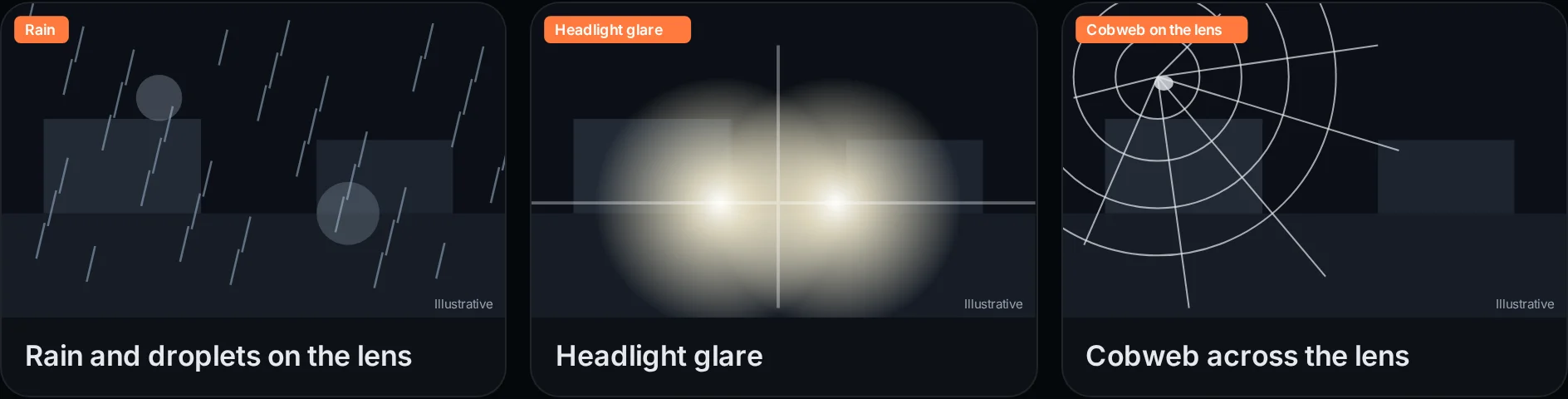
Illustrative icons, not camera footage.
Illustrative drawings, not real footage: three of the commonest triggers, as an ordinary camera sees them.
| Cause | Why it triggers | What to try first |
|---|---|---|
| Rain and snow | Drops close to the lens catch infrared light and look like fast-moving objects. Heavy rain changes thousands of pixels at once. | Fit a hood or move the camera under an eave, keep the lens clean, and lower sensitivity on exposed cameras in wet weather. |
| Spiders and cobwebs | Infrared LEDs attract insects at night, and spiders follow. A web or spider on the dome sits inches from the lens, so it fills the frame and moves with every breeze. | Clean the housing regularly, keep the area around the camera clear of plants, and consider an external IR illuminator so the camera itself is less attractive to insects. |
| Headlights and moving lights | Passing headlights sweep across walls and fences and change the brightness of large parts of the image in a second. | Angle cameras away from roads, mask out the strip that headlights cross, and avoid pointing a camera at reflective glass or wet tarmac. |
| Shadows and sun | Clouds, low sun and swaying trees move shadows across the scene, which motion detection reads as movement. | Trim branches in view, mask moving trees out of the detection zone, and review sensitivity for the hours of low sun. |
| IR reflection | Infrared light bouncing off a nearby wall, soffit or the inside of a dirty dome washes out the image and makes noise look like motion. | Move the camera so nothing sits close to the lens, clean the dome inside and out, and check that the dome cover is seated properly. |
| Animals and birds | Foxes, cats and birds trigger motion rules because they move in the same way as a person, just smaller. | Raise the minimum object size where the camera allows it, and keep detection zones off fence tops and roof lines where birds land. |
Quick fixes: angle, IR reflection, cobwebs, zones and sensitivity
Before changing any software, fix what the camera physically sees. These six steps are in the order most installers work through them, cheapest first.
Clean and check every lens
Clean the lens and dome inside and out, remove cobwebs and check that each housing is sealed. Dirt and webs are the cheapest cause to fix.
Fix the camera angle
Point cameras so nothing sits close to the lens, keep roads and reflective surfaces out of view, and tilt down so the sky takes up less of the frame.
Draw tighter detection zones
Only detect where something matters, such as a gate, a fence line or a doorway. Mask out roads, trees and roof lines.
Set sensitivity and schedules per camera
Tune each camera separately rather than using one setting for the whole site, and only arm zones in the hours you need them.
Move from motion to classification
Use detection that recognises people, vehicles, smoke and flame, instead of rules that react to any change in pixels.
Use feedback so the system learns your site
Mark false detections with the feedback button so the AI fitted to your site is retrained on what is normal for each camera.
Two of these steps deserve more detail. Infrared reflection is the one most often missed: a camera mounted tight under a soffit or beside a wall throws its own infrared light back into the lens, which turns the night image grey and noisy. Moving the camera a short distance away from the surface often clears it completely. Cobwebs are the most common cause at night, because the infrared LEDs attract insects. Cleaning on a schedule, rather than waiting for a run of alerts, keeps them under control.
Zones and sensitivity work best camera by camera. A camera on an exposed corner in the rain needs different settings from one inside a loading bay, and a single site-wide setting usually means one camera is too sensitive and another misses things.
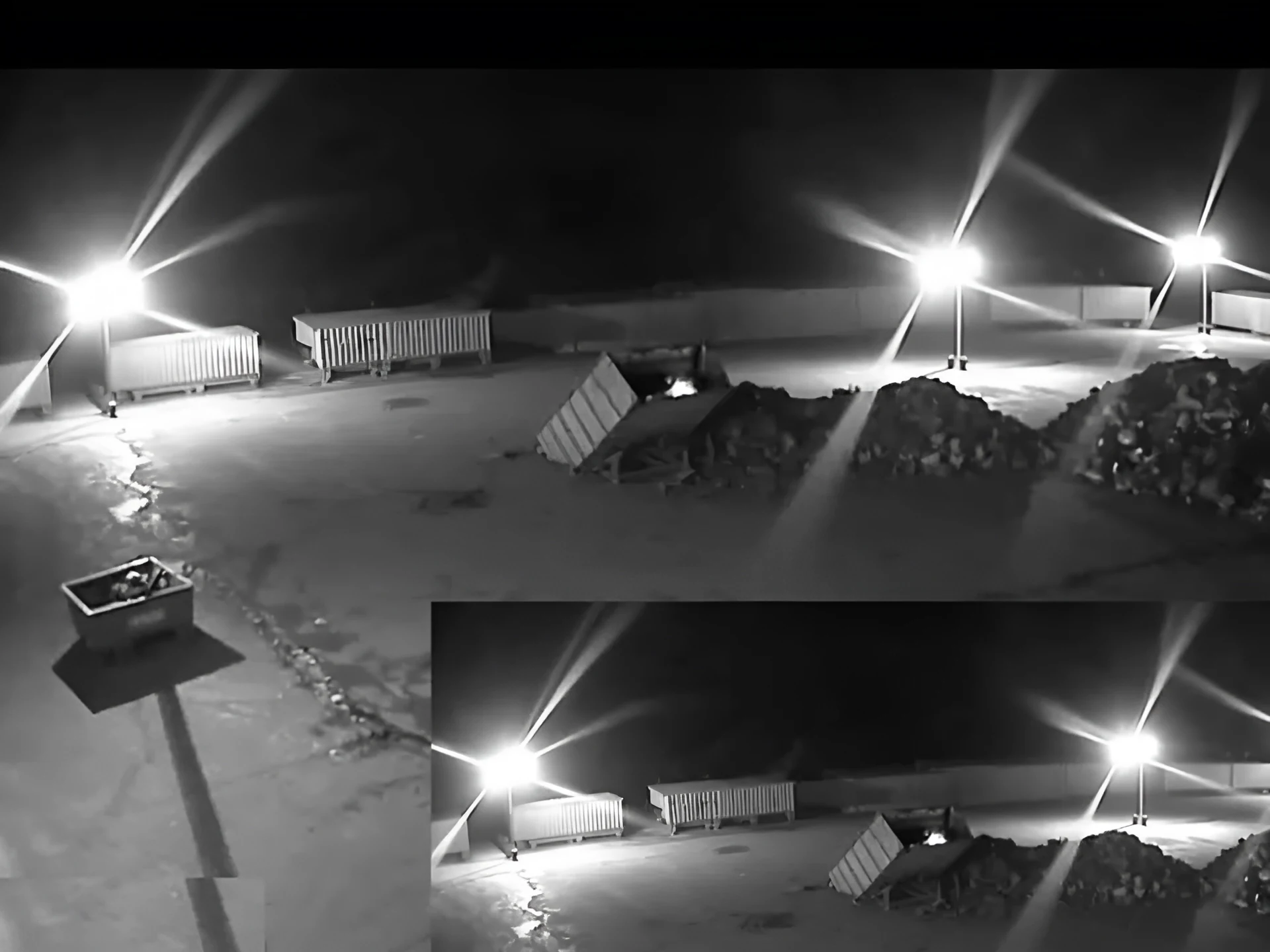
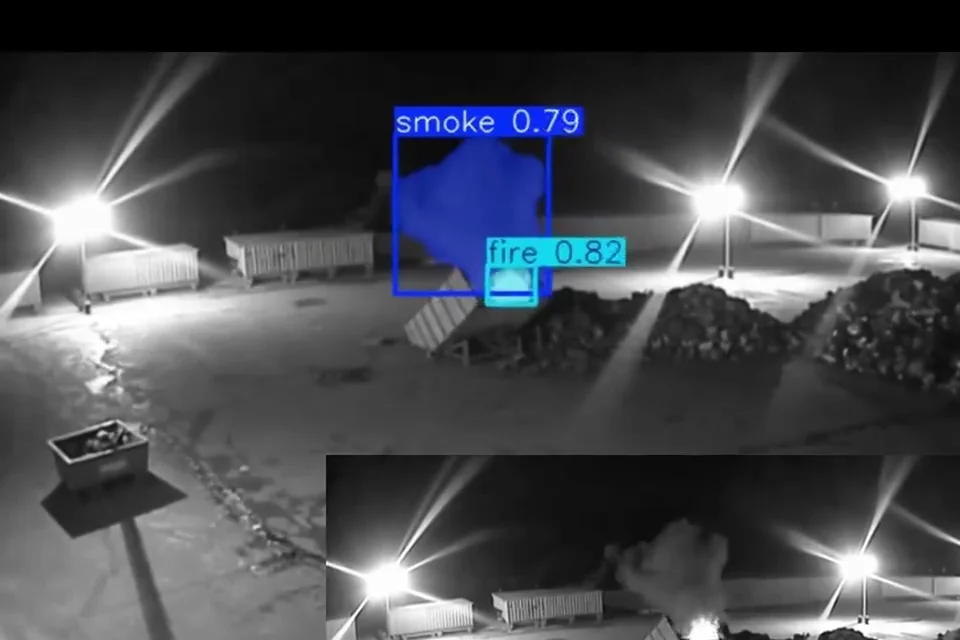 Real footage
- FloodlightsBright lights in view cause glare and flare on the lens. Angle the camera so they sit at the edge of the frame.
- Sky and roof lineBirds and moving cloud cause motion alerts here. Keep zones below the roof line.
- The real eventSmoke and a small fire, boxed and labelled by the AI. This is what an alert should be for.
- Wet groundReflections from wet surfaces change with every passing light. Mask them out of motion zones.
Why motion detection hits a ceiling
Once the lenses are clean and the zones are tight, motion detection still has a hard limit: it cannot tell what moved. Turn sensitivity down far enough to stop rain and spiders, and it also stops reacting to a person at the far end of the yard.
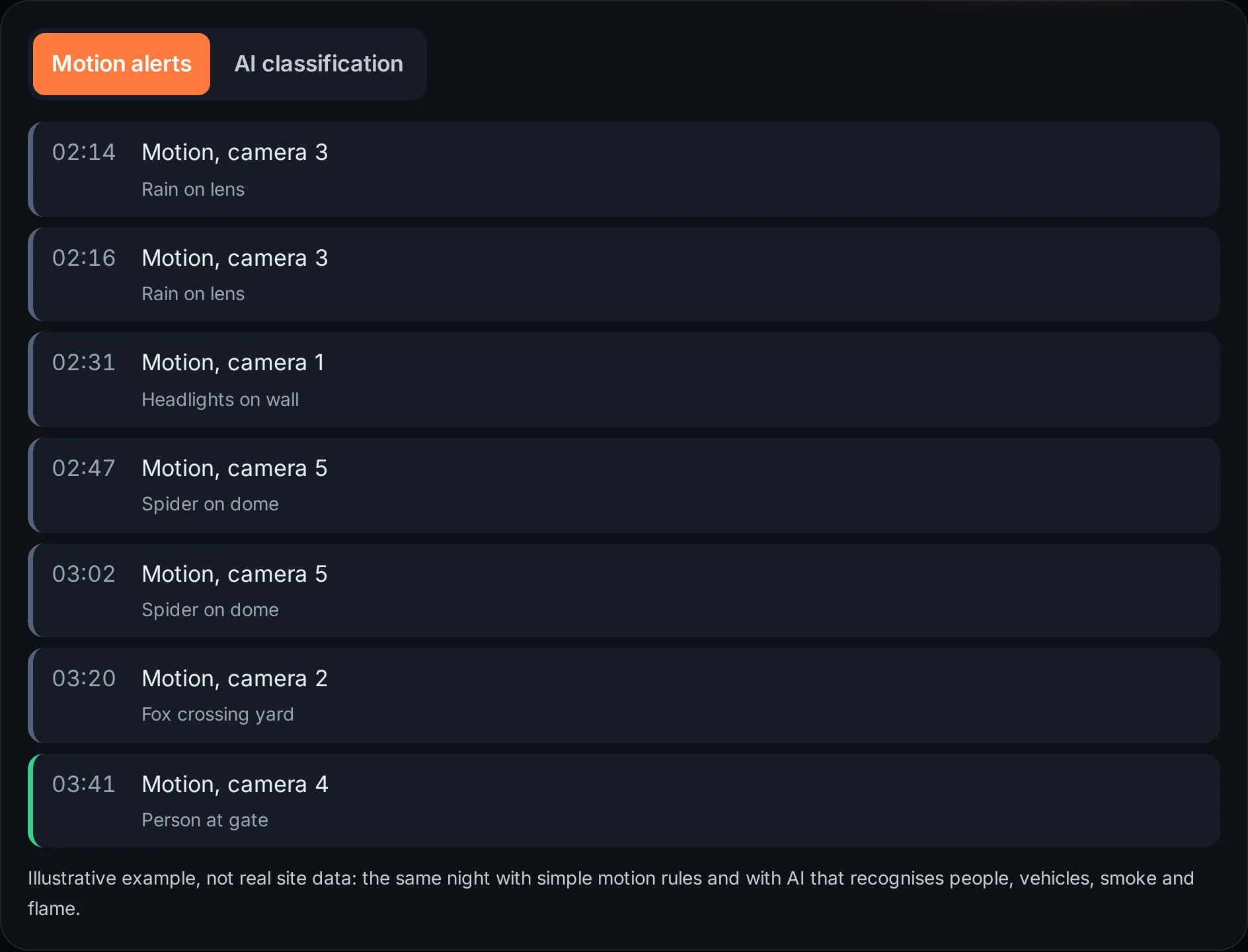
That trade-off is why many sites end up switching motion alerts off at night, or why a monitoring centre sees the same camera trigger again and again. The settings can move the balance, but they cannot remove it. Use the toggle to compare a typical night of motion alerts with the same night using classification.
Before: motion alerts
- 02:14Motion, camera 3Rain on lens
- 02:16Motion, camera 3Rain on lens
- 02:31Motion, camera 1Headlights on wall
- 02:47Motion, camera 5Spider on dome
- 03:02Motion, camera 5Spider on dome
- 03:20Motion, camera 2Fox crossing yard
- 03:41Motion, camera 4Person at gate
After: AI classification
- 03:41Person detected, camera 4Person at the gate in an armed zone, clip attached
How AI classification differs
AI detection looks at what is in the image rather than how many pixels changed. It is trained to recognise people, vehicles, smoke and flame, so a moving shadow or a spider on the lens is not a person, however much of the frame it covers.
That changes what an alert means. Instead of "something moved on camera 5", the alert says what the camera saw and comes with the clip, so whoever receives it can check it in seconds. You still draw zones and set schedules, but they decide where and when the AI watches rather than doing all the filtering. Read more in AI intrusion detection and video AI vs thermal vs on-camera analytics.
Classification is not perfect. Some objects look like others at a distance or at night, and a camera that cannot see clearly limits any system. That is why the next step matters.
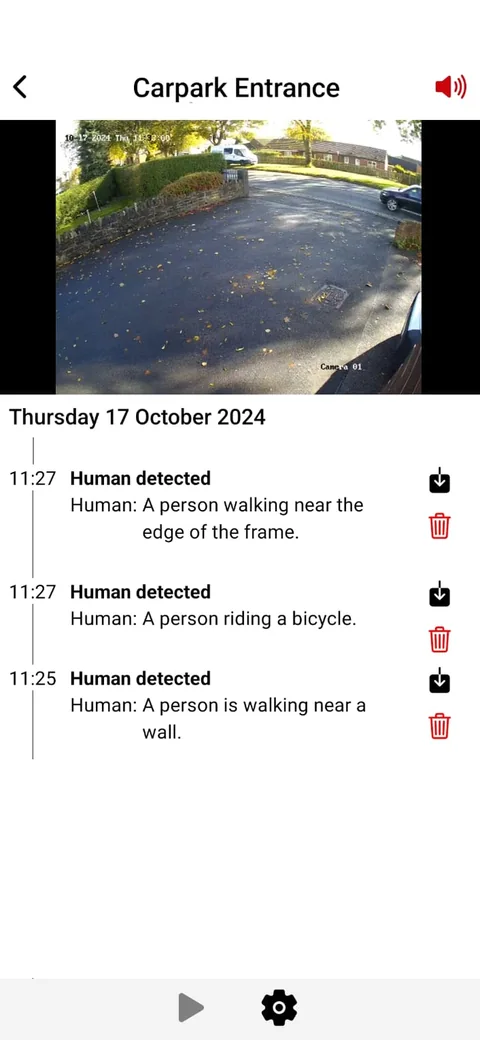
Every alert says what it saw
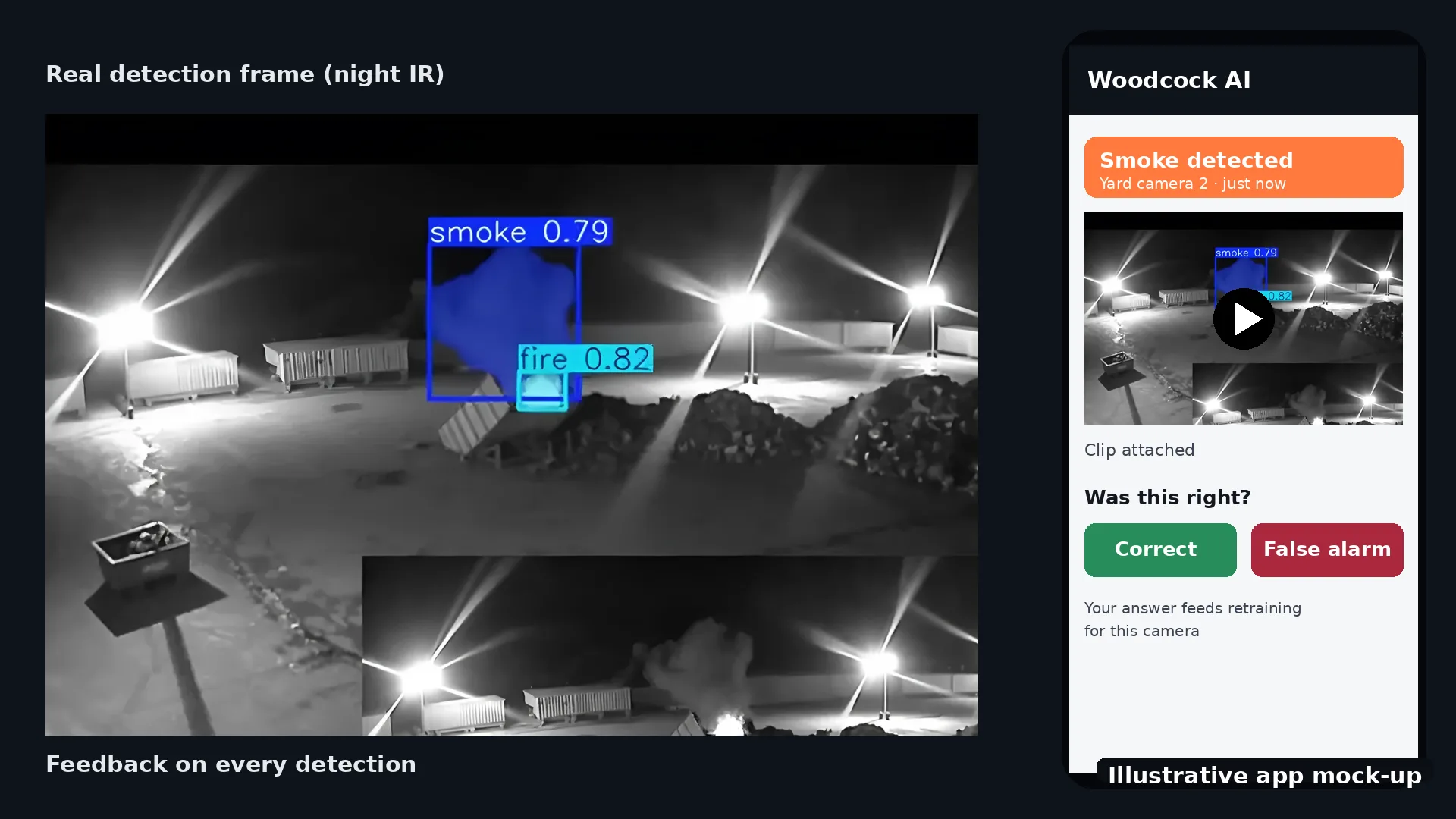
Each detection in the app has a time, the camera, a plain-English description and the clip. That makes a false detection quick to spot and quick to mark, and a real one quick to act on.
Alerts go to the people you choose by app push notification, email or SMS.
Why per-site, self-learning AI does better
A generic model has never seen your site. It does not know that the vent on the north wall puts out steam every morning, or that a flag by the gate moves all day. A self-learning AI fitted to your site learns what is normal for each camera.
Every Woodcock AI detection has a feedback button. When someone marks a detection as a false alarm, that feedback goes into retraining for your site, so the same kind of mistake becomes less likely on that camera. Over time the alerts that remain are the ones worth looking at. See how it works for where video is processed: on an edge server on site or in the Woodcock AI Cloud.
What it means for monitoring centres
For a monitoring centre, every false alarm is an operator looking at a camera for nothing. Fewer alerts, each with a description and a clip, are faster to verify and easier to trust.
Alerts to a monitoring centre (ARC) and phone-call alerts are available as optional add-ons. If your site already works with a monitoring centre, agree with them what should count as an alarm on each camera, and review the cameras that trigger most often together. For smoke and fire, the same approach applies: an alert with the clip is quicker to check. More in the video smoke detection guide.
 Real footage
False alarm checklist
Tick off each item as you go. Your progress is saved in this browser only.
0 of 8 done
What causes most CCTV false alarms?
Most come from basic motion detection reacting to anything that changes pixels: rain and snow, spiders and cobwebs, headlights, shadows, infrared reflection and animals. Camera position and dirty lenses make all of these worse.
Do spiders and cobwebs trigger CCTV?
Yes, very often at night. Infrared LEDs attract insects, spiders follow, and a web right in front of the lens fills the frame and moves with the wind. Regular cleaning and keeping plants away from the camera help a lot.
Does rain set off motion detection?
It can. Drops near the lens catch the infrared light and look like moving objects, and heavy rain changes much of the image at once. A hood, a sheltered position and lower sensitivity on exposed cameras reduce it.
Can AI eliminate false alarms?
No. AI that classifies what it sees reduces false alarms a great deal compared with simple motion detection, but no system removes them completely. Good camera positions and per-site learning matter as much as the software.
How does feedback reduce false alarms?
Every Woodcock AI detection has a feedback button. When you mark a detection as false, that feedback goes into retraining the AI fitted to your site, so it learns what is normal for each camera, such as steam from a vent or a flag that moves.
Does AI work on old cameras?
Usually, yes. Woodcock AI works with most existing IP CCTV and recorders that provide a video stream. Very low resolution or poorly placed cameras limit what any system can see, so each camera is checked in the free site assessment.
Do false alarms affect monitoring-centre response?
They can. A monitoring centre that receives many false alarms from a site spends more time checking them, and frequent false alarms make it harder for everyone to treat an alert as urgent. Fewer, better alerts with a clip are easier to verify. Alerts to a monitoring centre (ARC) and phone-call alerts are available as optional add-ons.
Can it tell smoke from steam?
Smoke and steam can look similar on camera. A self-learning AI fitted to your site learns where steam, dust or exhaust is normal for each camera, and feedback on any false detection helps it tell them apart over time.
What is the next step?
Book a free site assessment. We review your cameras and recorder, look at where false alarms come from today and confirm what Woodcock AI can cover before anything is set up.
See how it would perform on your cameras
A free site assessment reviews your cameras and recorder, looks at where false alarms come from today and confirms what is supported before anything is set up.
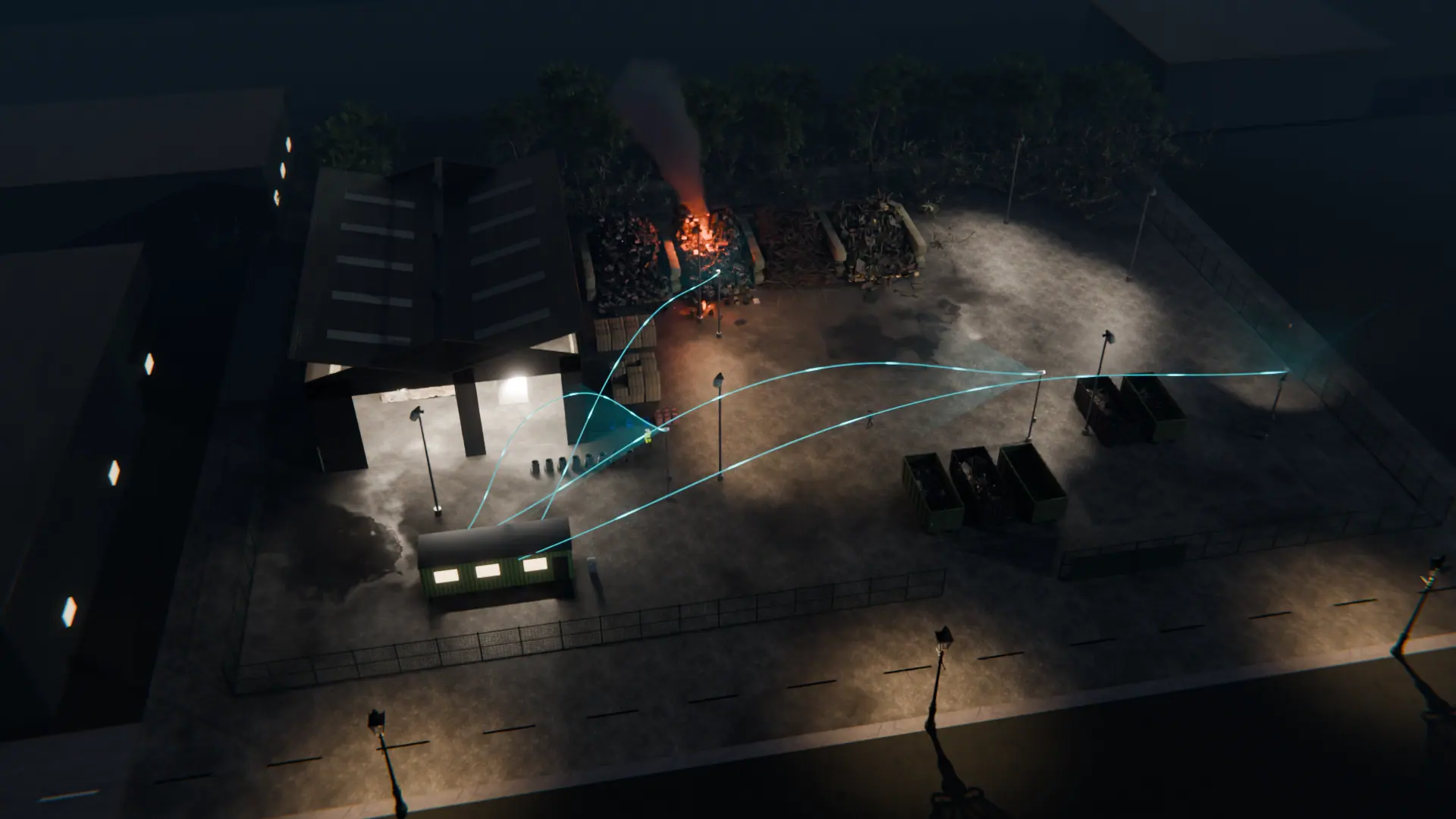
Illustrative 3D render