

Woodcock AI questions, answered
Woodcock AI adds AI detection to the CCTV cameras you already have. It watches for smoke and fire, intruders, vehicles and safety risks, and sends each alert with the video clip to your phone, email or SMS. It runs on an edge server on site or in the Woodcock AI Cloud, and it complements, rather than replaces, certified fire alarms.
What is Woodcock AI?
It is AI detection for the CCTV you already have. Woodcock AI watches your camera feeds for smoke and fire, intruders, vehicles and safety risks, and sends each alert with the video clip. It is based in Manchester and works with sites across the UK. About Woodcock AI
Does it work with my existing CCTV?
Usually, yes. Woodcock AI works with ONVIF or RTSP cameras and recorders, including NVRs and older DVRs, and you connect a camera by entering its login details. The free site assessment confirms it for your cameras. See how it connects
Do I need new cameras?
Usually not. Video AI looks for visible smoke, flame, people and vehicles in the picture your cameras already give. If a camera is on a closed manufacturer system or does not cover a risk area, the site assessment will say so. Thermal detection is different and needs thermal cameras. Video AI vs thermal
What does it detect?
Smoke and fire, intrusion and people, vehicles where supported, and safety modules such as PPE detection, where supported, confirmed in your site assessment. Each event can come with a short written description of what the camera saw. See every detection module
Who is it for?
Sites with CCTV that want to know about smoke, fire, intruders and safety risks as they happen, such as waste and recycling and industrial sites, and the installers who look after their cameras. Sectors

The CCTV you already have
Woodcock AI connects to ONVIF and RTSP cameras and recorders by their login details. No new cameras are needed for video AI.
How does video smoke detection work?
The AI analyses each camera's frames for the shape, movement and spread of smoke and flame. Video is processed on an edge server on site or in the Woodcock AI Cloud, and a detection sends an alert with the clip. Read the video smoke detection guide
Does it replace fire alarms?
No. It adds an early visual warning to your CCTV and complements, rather than replaces, certified fire detection and alarm systems, suppression and statutory fire safety procedures. Smoke and fire detection
Can it tell smoke from dust, steam or fog?
It is trained to. The AI is trained to tell smoke apart from fog, dust and steam and learns each camera's view over time. Heavy fog, glare and very dark scenes can still hide smoke, so camera views are checked at the site assessment. Limits of video smoke detection
Does it work at night?
Yes, where the smoke or flame is visible in the picture. It works on the image the camera gives it, including infrared at night. Very dark scenes can hide smoke. What it needs to work well
Does it help with an EA fire prevention plan?
It can support one, with no compliance guarantee. The Environment Agency guidance names CCTV visual flame detection systems among the automated detection options. Woodcock AI is not approved or endorsed by the Environment Agency; whether it suits your plan is for you to agree with the EA. Use the FPP checklist
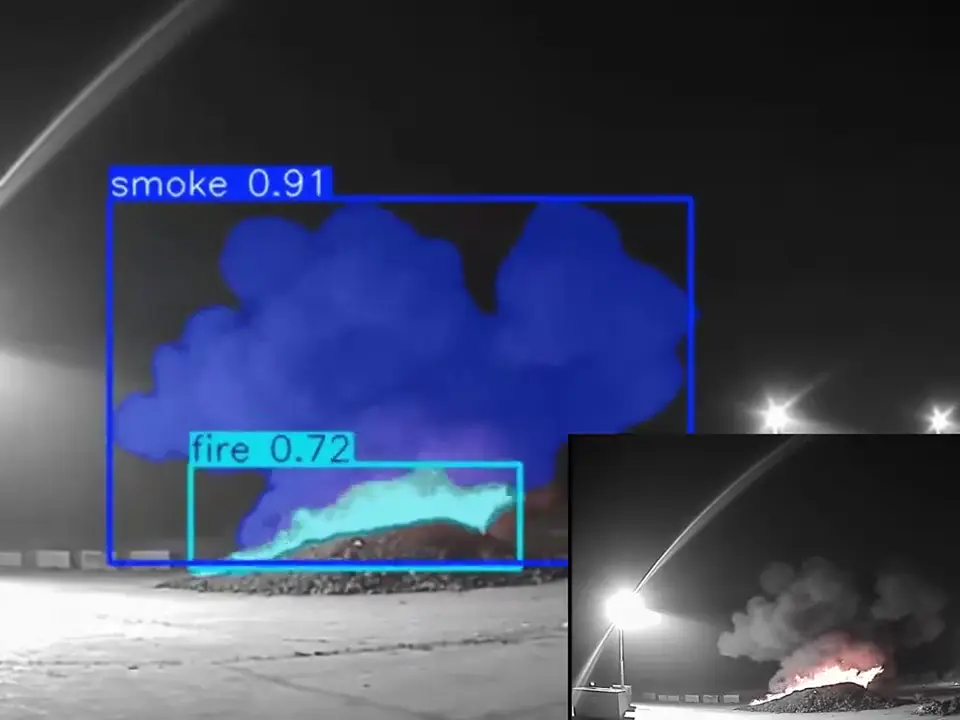 Real footage
- Smoke outlinedThe plume is boxed and labelled, so whoever gets the alert sees what triggered it.
- Flame outlinedVisible flame is labelled separately from the smoke.
- The camera viewThe same moment as the existing camera recorded it, before labelling.
How does intrusion detection cut motion alerts?
By classifying what it sees. Instead of reacting to any movement, it tells a person or vehicle from a fox, swaying trees, headlights or weather, so you get fewer nuisance alerts. Intrusion detection
Can I set detection zones and schedules?
Detection areas, yes; schedules are confirmed for your site. In each camera's settings you can draw a detection area and choose what it looks for. Alert schedules, such as out-of-hours only, are set up with you at the site assessment. Zones on the intrusion page
Do you detect PPE?
Where supported. Safety modules such as PPE detection are available where supported, confirmed in your site assessment, and need a camera with a clear enough view of people in the area. PPE detection
Can several modules run on one camera?
Yes. A yard camera might watch for smoke and fire all day and for intruders after hours. Most sites start with their main risks and add modules later. Which module for which site
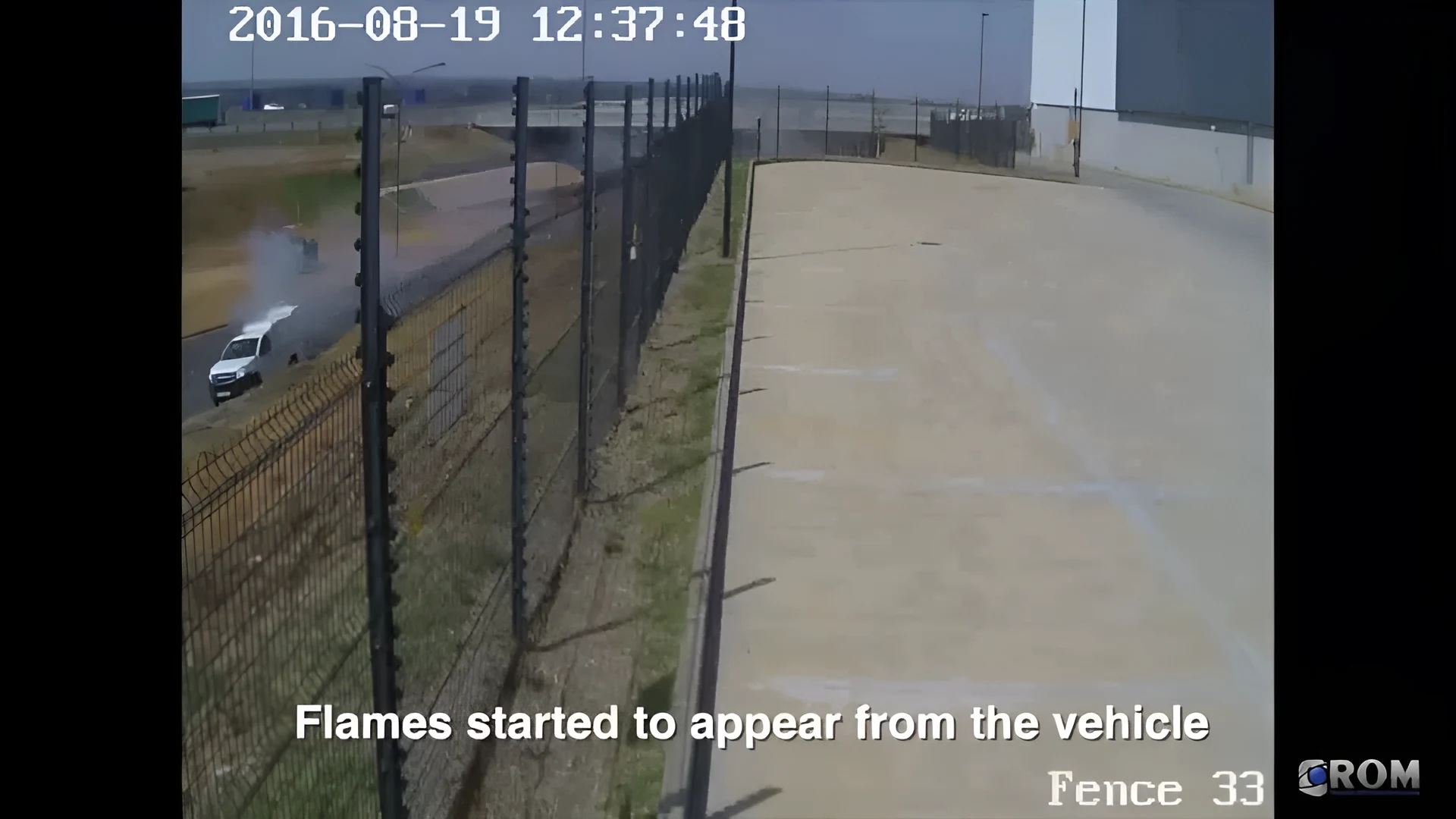 Real footage
How are alerts delivered?
By app push notification, email or SMS, each with the video clip and a plain-English description of what the camera saw. The Woodcock AI app
Can alerts go to a monitoring centre (ARC)?
Yes, as an optional add-on. Alerts to a monitoring centre (ARC) and phone-call alerts are available as optional add-ons. Tell us which centre you use at the site assessment. Alerts on the intrusion page
Can I get phone-call alerts?
Yes, as an optional add-on. Alerts to a monitoring centre (ARC) and phone-call alerts are available as optional add-ons. How alerts are delivered
Can several people get alerts?
Usually, yes; the set-up is confirmed for your site. You choose the number of app users when you create your account, and who receives alerts is agreed at the site assessment. The app
What is the feedback button?
It lets you tell the AI whether a detection was right. Every detection has a feedback button, and that feedback goes into retraining the AI for your site. Our self-learning AI
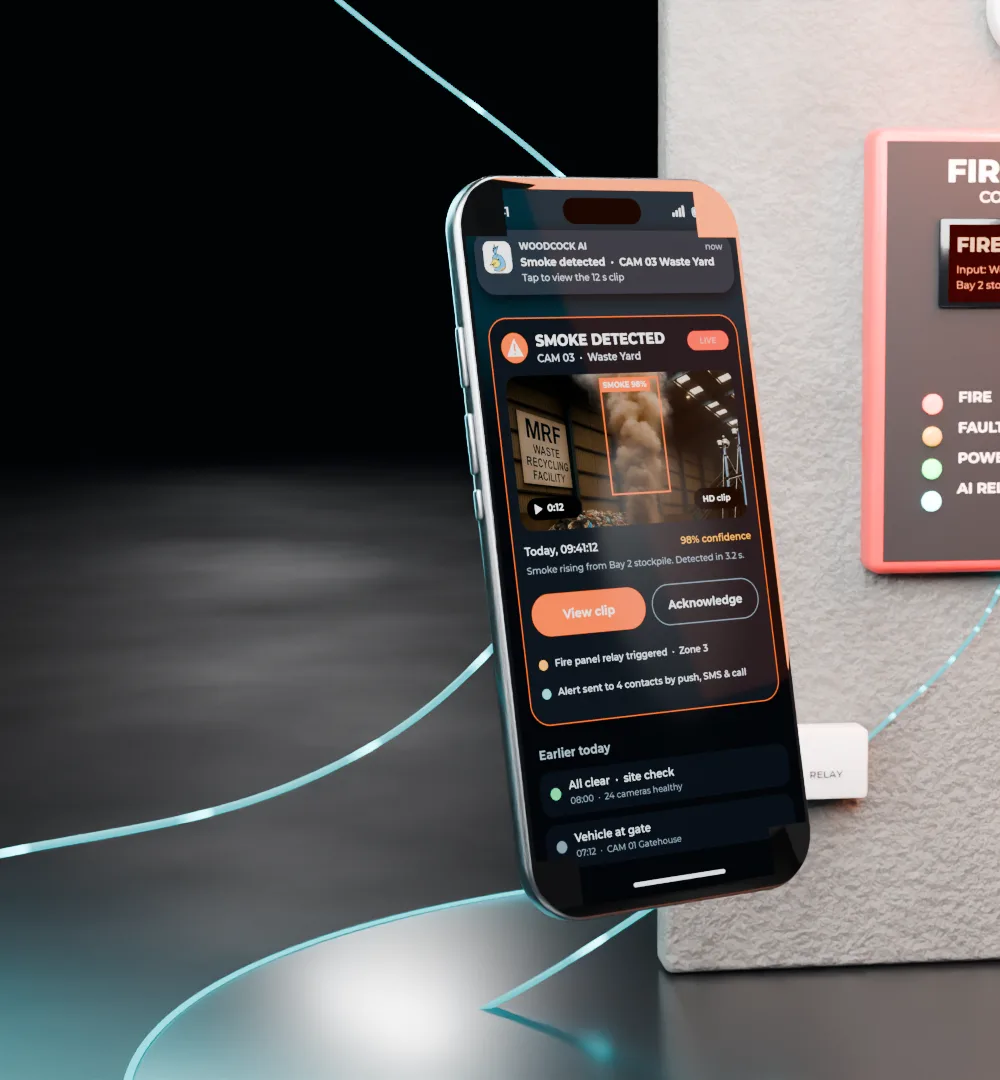
Every alert arrives with the clip
Push, email or SMS, with the clip and a plain-English description. Alerts to a monitoring centre (ARC) and phone-call alerts are available as optional add-ons.
Is the AI self-learning?
Yes. A self-learning AI is fitted to each site and learns what is normal for each camera, such as natural movement and weather. How the AI learns
Is it trained on my site?
It adapts to it. The AI is fitted per site and learns each camera's view, and feedback from your detections is used in retraining. How it works
How does it improve over time?
Through your feedback. Each detection has a feedback button, and that feedback feeds into retraining, so it gets better at what is normal on your site. Limits and false alarms
Does it get false alarms?
Sometimes, as any detection system can. It is designed to reduce them by classifying what it sees and learning each view, and every alert comes with the clip so a person can check it in seconds. We do not publish an accuracy percentage. How approaches compare
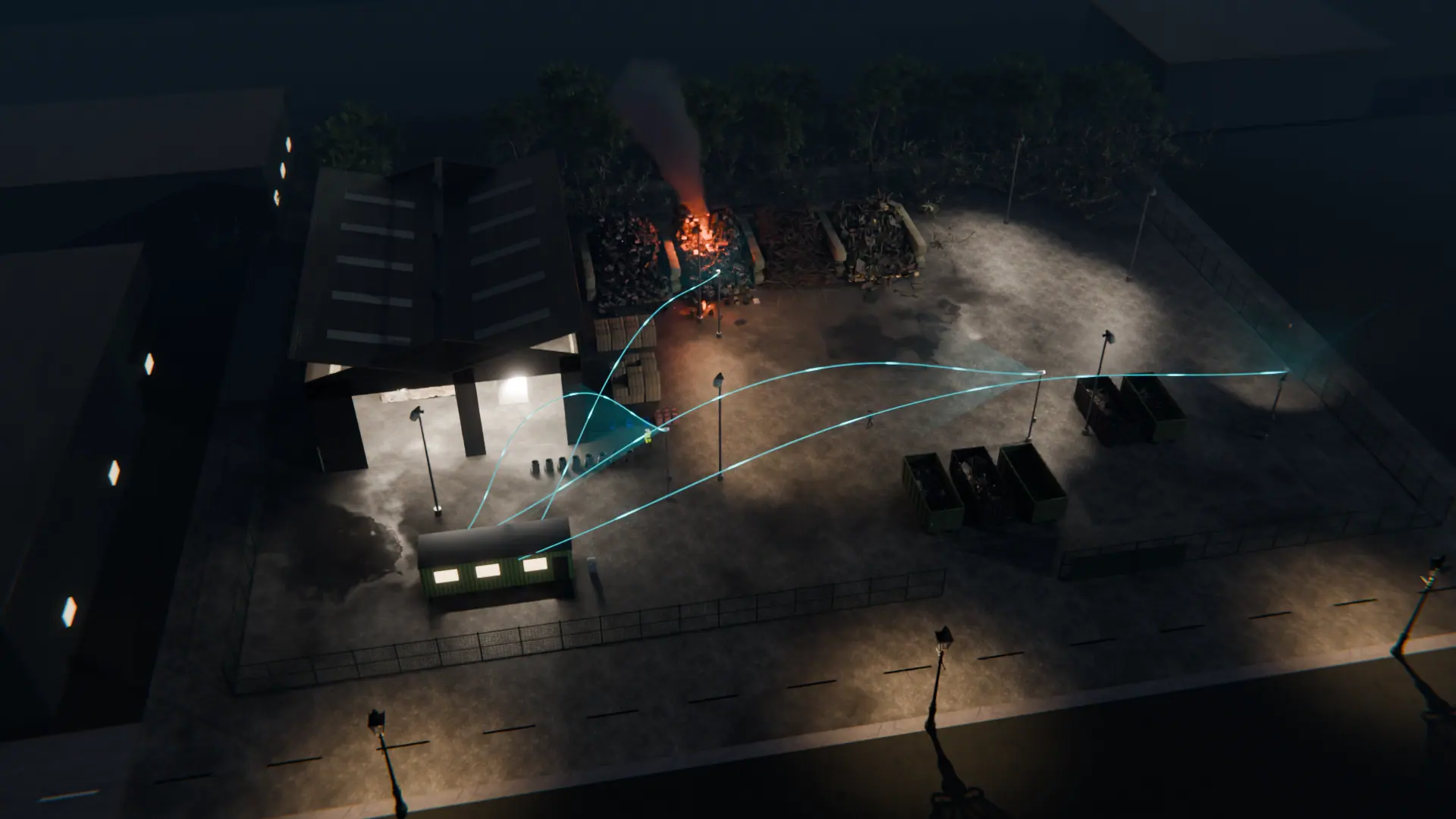
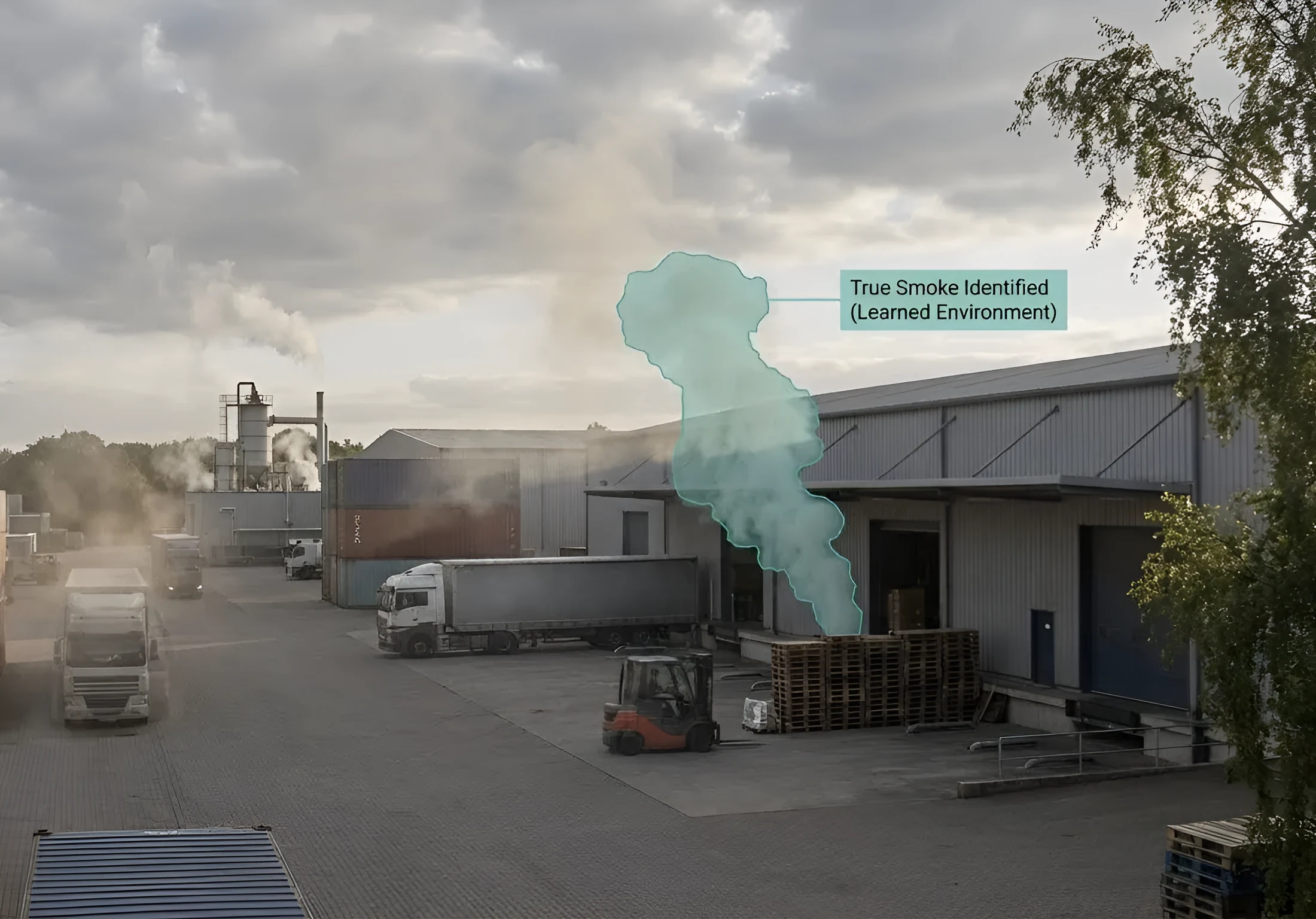 Illustrative
Where is video processed?
On an edge server on your site, or in the Woodcock AI Cloud. With the edge server, video is processed on your local network and footage stays on site. Edge or cloud explained
Is it GDPR compliant?
You stay responsible as the CCTV operator, and Woodcock AI gives you choices that help. Using CCTV lawfully under UK GDPR, including signage, a clear purpose and sensible retention, is down to the operator. The edge server keeps footage on your network, and you control which cameras are analysed and who receives alerts. For a data protection impact assessment, ask us at office@woodcock.ai. Processing and storage
How long does set-up take?
It depends on your cameras and sites. Cameras connect by entering their logins, then zones and alerts are set up; the site assessment gives you a plan for your site. The set-up steps
What happens at the site assessment?
We review your cameras, recorder and risks. You tell us about your site, cameras and the risks you care about, and we suggest the detection modules that fit, with no obligation. Start the free site assessment
 Illustrative
How much does it cost?
It depends on your cameras and modules. Pricing is quoted after a free site assessment. Book a free site assessment
How do I start?
Book a free site assessment. Tell us about your site and cameras, and we will come back with the modules that fit. Installers can join the installer and reseller programme. For installers
Still have a question?
A free site assessment checks your cameras, recorder and risks, and answers the questions specific to your site. Or email office@woodcock.ai.
Illustrative 3D render