

Hot ash and embers
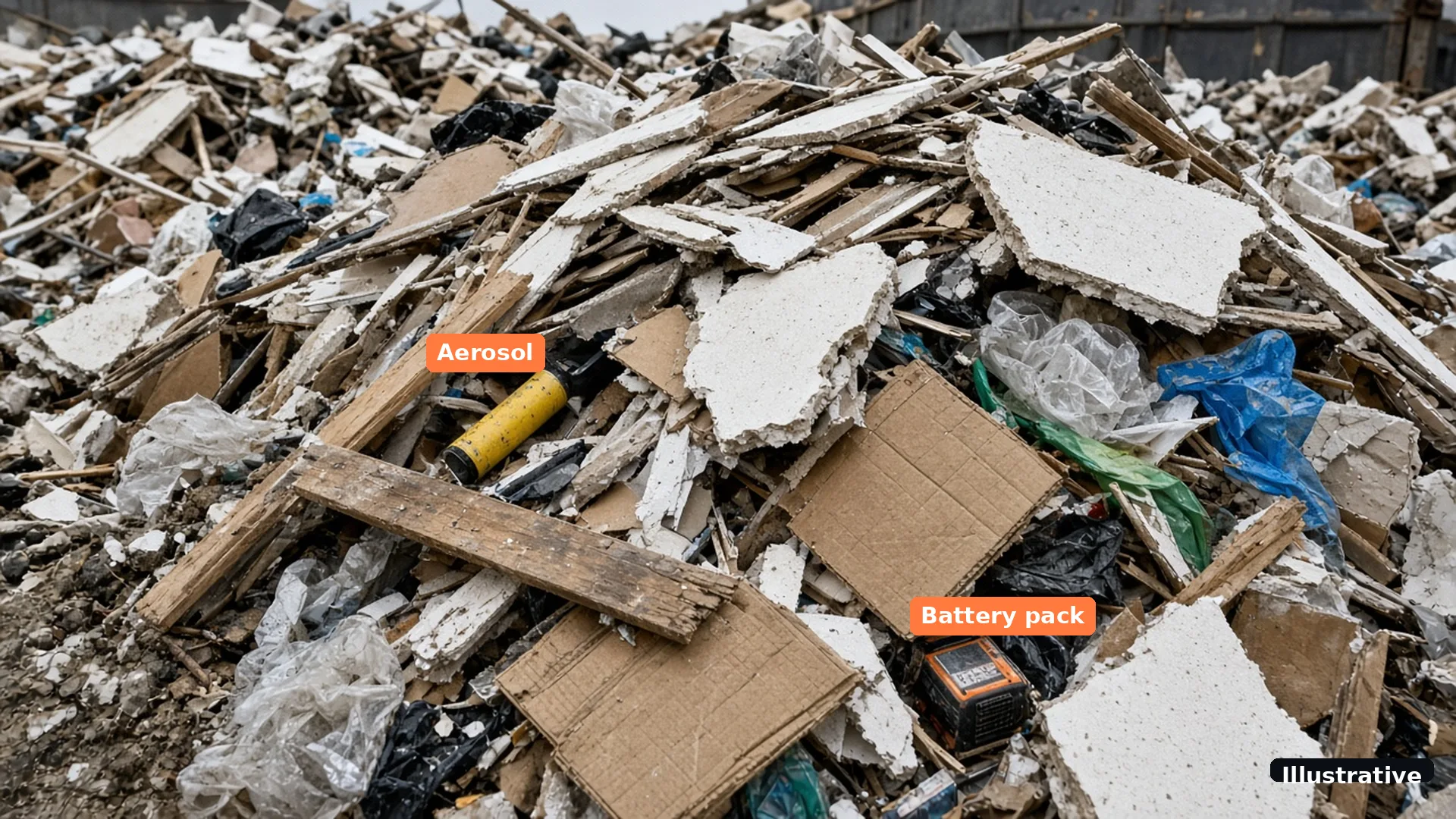
Ash from fires and barbecues can stay hot for a long time and smoulder once it is in a skip with dry waste.
Woodcock AI watches the CCTV your skip yard already has for the first visible smoke and flame, in skip rows, on the tipping floor and around stockpiles, day and night. Every alert arrives with the clip, so you can check what the camera saw and act. After hours, the same cameras watch the gate and fence for intruders.
A skip yard takes in mixed waste it has not sorted yet. Most of it is harmless, but a single hot item hidden in a load can start a fire hours after the skip comes back, often when the yard is closed.
Common causes include hot ash and embers thrown into skips, discarded lithium-ion batteries that are crushed or damaged when a load is tipped, and material that heats up as it sits in a pile. Read more about lithium-ion battery fires, and see our waste fire facts and sources for the published figures.
 Illustrative
Ash from fires and barbecues can stay hot for a long time and smoulder once it is in a skip with dry waste.
Batteries in mixed loads can be damaged in the skip or when it is tipped, and can catch fire later.
Material that waits in piles can start to burn at the surface or inside, which is why storage is set out in a fire prevention plan.
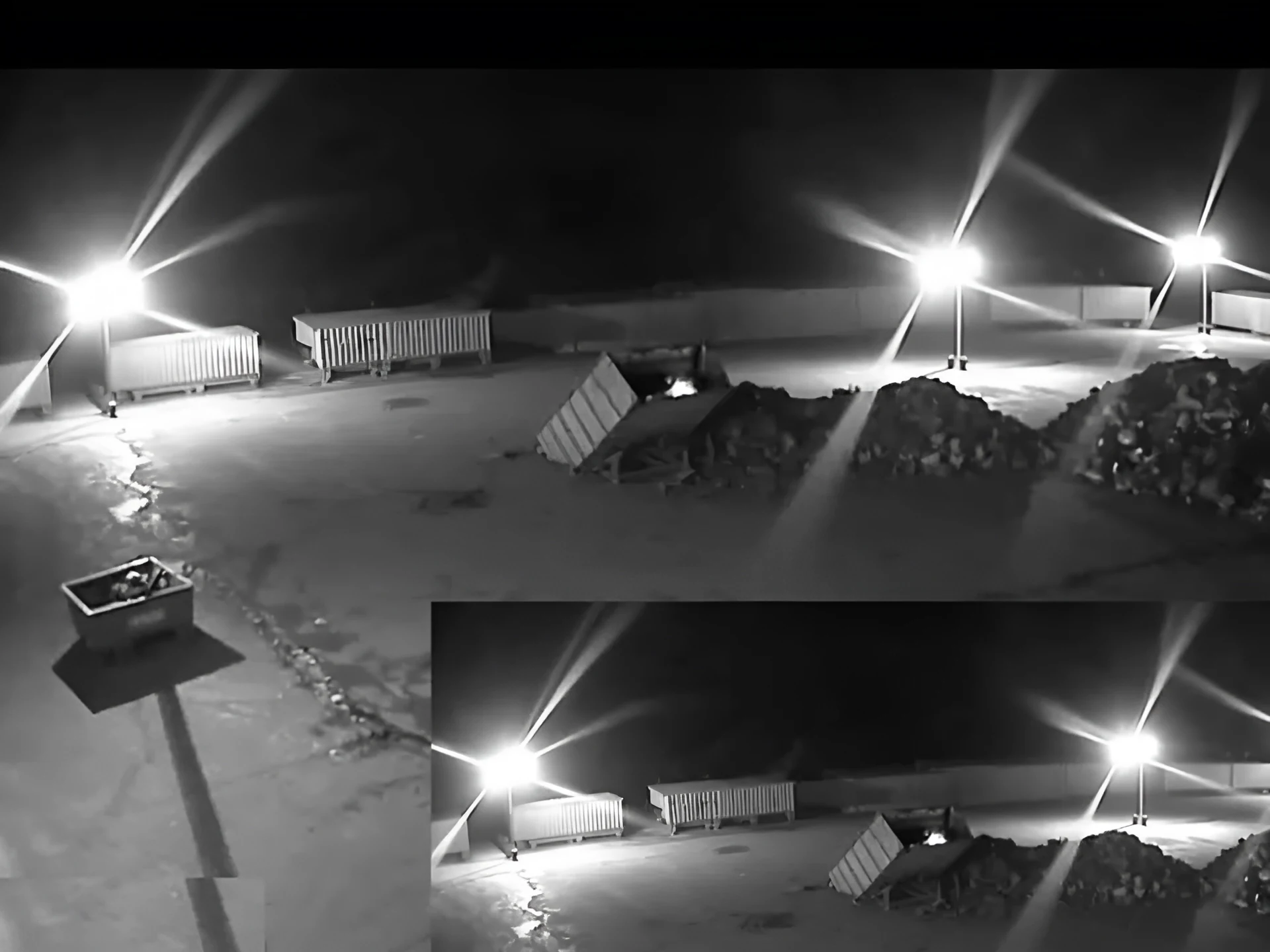
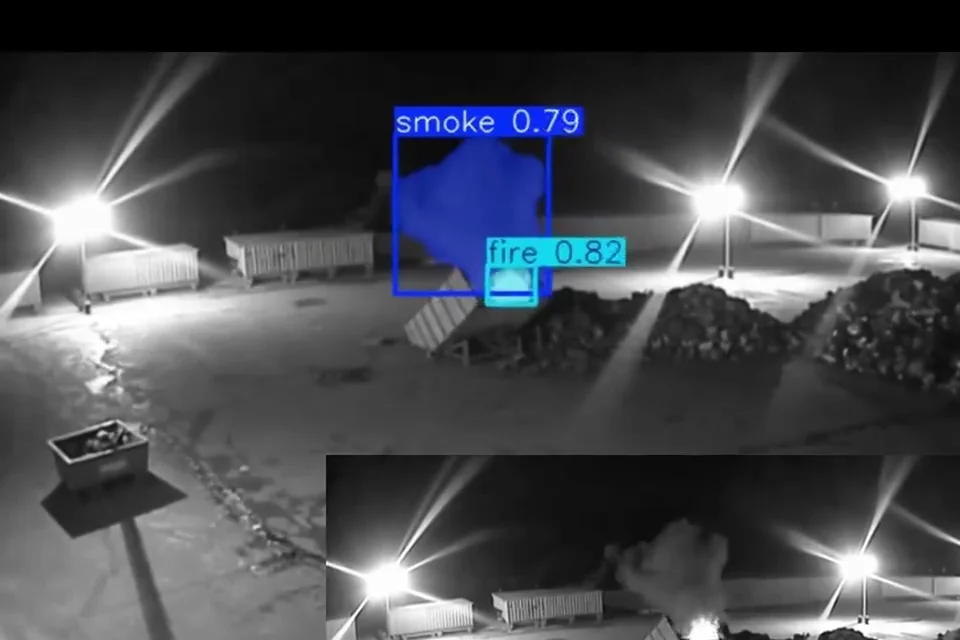
These are real night frames from existing cameras. The first shows a small fire starting in a skip. In the second, the AI has boxed the smoke and flame beside a skip on an infrared camera. Tap the numbered points to see what the AI weighs up in a night scene.
 Real footage
 Real footage
Tap an area of the yard plan, or use the buttons, to see the risk in that area and what a camera needs to see there.
The risk: Returned skips can still hold hot ash, a discarded battery or other mixed waste. A camera along the rows watches for the first visible smoke, including overnight when the yard is empty.
What the camera should see: Keep a clear view down each row, and avoid stacking skips so they block the camera.
The risk: Mixed loads are tipped and sorted here, so it is where hidden items such as batteries or hot material first come out into the open.
What the camera should see: A camera that sees the whole tipping floor gives the best chance of seeing smoke early.
The risk: Sorted material waits in piles and bays before it leaves site. Fires can start from the surface or from inside a pile, and the fire prevention plan sets how piles are stored.
What the camera should see: Watch the faces of each pile. Heat deep inside is a job for thermal; see the comparison.
The risk: Skip lorries, plant and stored skips attract theft and trespass once the gates shut.
What the camera should see: Draw intrusion zones and schedules on the gate and fence cameras. See intrusion detection.
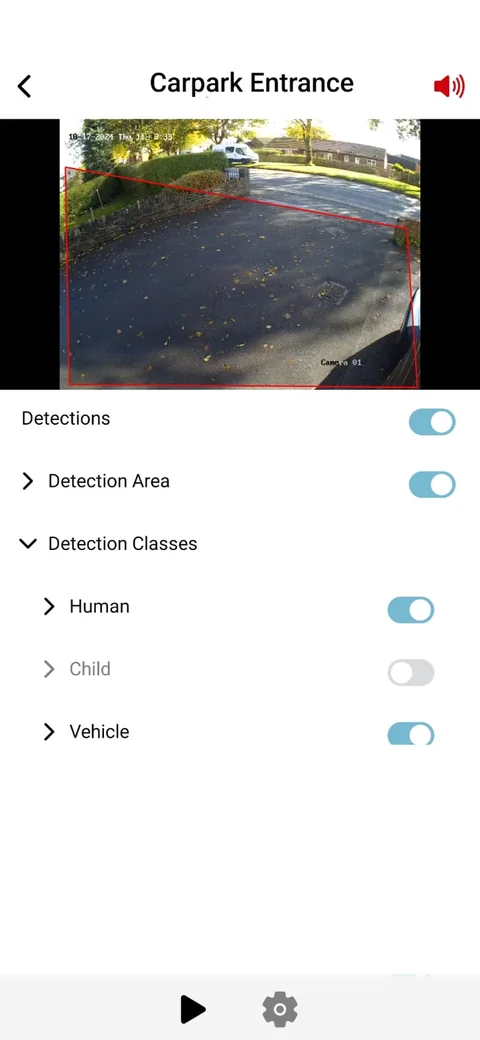
The AI watches each camera for visible smoke and flame. When it sees them, it sends an alert by app push notification, email or SMS, with the clip and a plain-English description. Alerts to a monitoring centre (ARC) and phone-call alerts are available as optional add-ons.
On the gate and fence cameras, draw intrusion zones and set the hours they are armed. A self-learning AI is fitted to each site and learns what is normal for each camera, and every detection has a feedback button that goes into retraining for your site.
Once the gates shut, a skip yard is an empty site full of plant, skips and stock. The same cameras that watch for smoke can watch the gate, fence line and lorry park for people and vehicles out of hours.
Draw an intrusion zone or a line across the gate, choose the hours it is armed, and anything crossing it raises an alert with the clip. Vehicle detection, where supported on your cameras, flags a van or lorry pulling up at the gate, which also helps you spot waste being dumped outside the yard. Our glossary explains zones and line crossing.
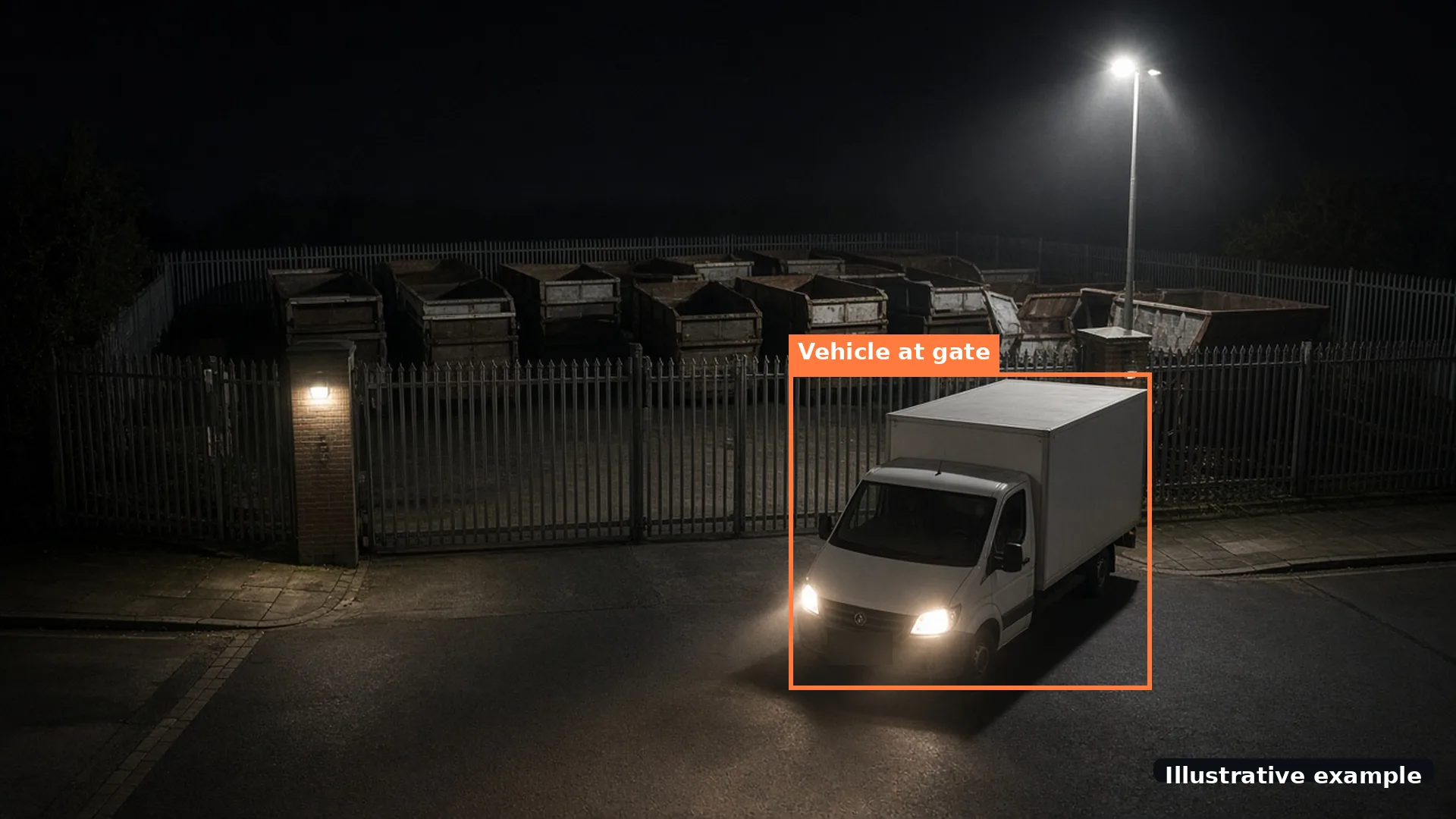 Illustrative example
Many permitted skip and waste transfer sites in England need a fire prevention plan under Environment Agency guidance. It covers how waste is stored, how fires are detected and how they are contained. Read the Environment Agency fire prevention plan guidance, which aims for any fire to be put out within four hours and sets pile sizes, separation distances and a quarantine area.
Camera-based detection sits alongside your fire alarm in the detection part of the plan, and gives early warning out of hours. It does not replace your alarm or your plan. Work through each section with our fire prevention plan checklist, and see the glossary for terms such as freeboard and quarantine area.
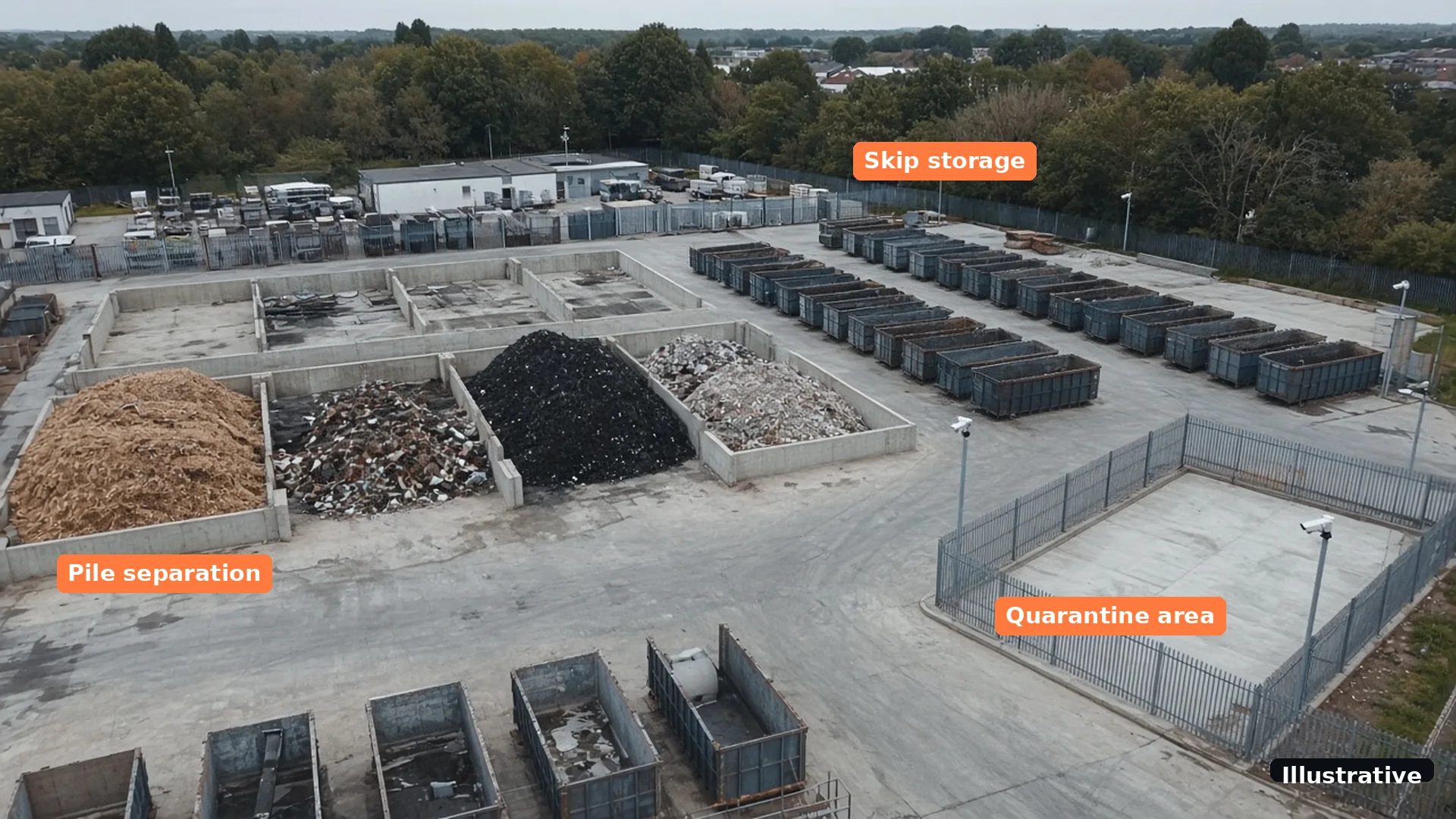 Illustrative
Tick what is already true on your site. Your answers are saved in this browser only.
Anything unticked is worth raising in a free site assessment. For lens and night-view fixes, see how to reduce CCTV false alarms.
Short answers on fire, night views and alerts. More in the Woodcock AI FAQ.
Yes, where a camera can see the skip. Woodcock AI watches your existing cameras for visible smoke and flame and sends an alert with the clip, so someone can check what the camera saw straight away, day or night.
Usually not. It works with most existing IP CCTV, and the free site assessment confirms which of your cameras and recorder streams can be used before anything is set up.
Yes. Many yard cameras switch to infrared at night, and the AI watches those views for smoke and flame too. Floodlights, rain and moving vehicle lights are taken into account as the AI learns each camera.
Not until smoke or flame is visible. Heat hidden deep inside a load is not visible to an ordinary camera, which is where a thermal camera can help. Video detection watches for the first visible smoke.
No. It supplements your fire alarm, procedures and fire prevention plan with early visual detection on the cameras you already have. It is not a certified fire alarm system.
Yes. Intrusion detection runs in zones and schedules you set on the cameras covering gates, fences and the yard, so people and vehicles in a closed yard raise an alert with the clip.
Yes, vehicle detection where supported. On gate and lorry-park cameras, vehicles arriving in a closed yard can raise an alert with the clip, in the zones and hours you set. Which cameras support it is confirmed at the free site assessment.
Yes, as an option. Alerts to a monitoring centre (ARC) and phone-call alerts are available as optional add-ons. Standard alerts go to the people you choose by app, email or SMS.
The people you choose, by app push notification, email or SMS, each with the clip. Alerts to a monitoring centre (ARC) and phone-call alerts are available as optional add-ons.
Book a free site assessment. We review your cameras, the skip storage, sorting and stockpile areas, and confirm what is supported before anything is set up.
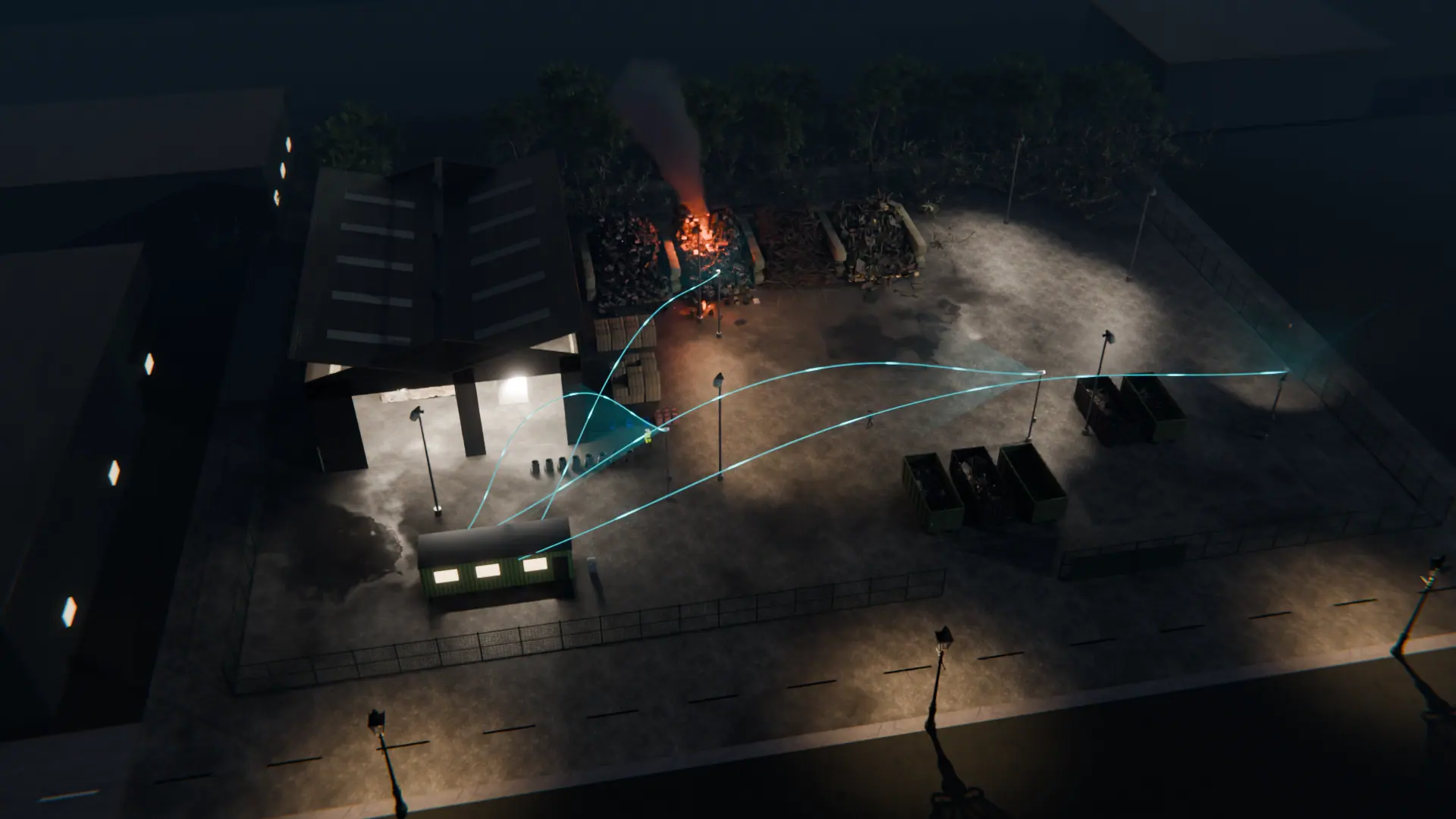
A free site assessment reviews your cameras, skip rows, tipping floor, stockpiles and gate, and confirms what is supported before anything is set up.
Illustrative 3D render