Comparison

AI CCTV monitoring vs remote CCTV monitoring: how they differ and how they work together

Remote CCTV monitoring means trained operators at a monitoring centre check alarm events from your cameras and respond. AI CCTV monitoring uses software on your existing cameras to recognise people, vehicles, smoke and flame, filter out nuisance motion and send an alert with the clip. They are not either-or: AI can filter what reaches an operator, and Woodcock AI offers monitoring-centre (ARC) and phone-call alerts as optional paid add-ons.

Real detection · Night yard Smoke detectedAlert sent with the clip
Real footage from a camera running Woodcock AI, 8-second loop.
Remote monitoring

What is remote CCTV monitoring?

Remote CCTV monitoring, sometimes called monitored CCTV, connects your cameras to a monitoring centre. When something on site raises an alarm, the event is sent to the centre, where an operator looks at the camera view and decides what to do.

These centres are often called alarm receiving centres, or ARCs. The operator follows a response plan agreed with you in advance. Depending on the site and the plan, that might mean contacting a keyholder, calling the police or, where speakers are fitted, giving an audio warning to whoever is on site.

The strength of remote monitoring is the people. A trained operator can judge a situation, follow a procedure calmly at three in the morning and escalate it properly. What an operator cannot do is watch every camera on every site all the time. Most centres rely on the site to tell them when to look, and on many systems that trigger is a basic motion rule.

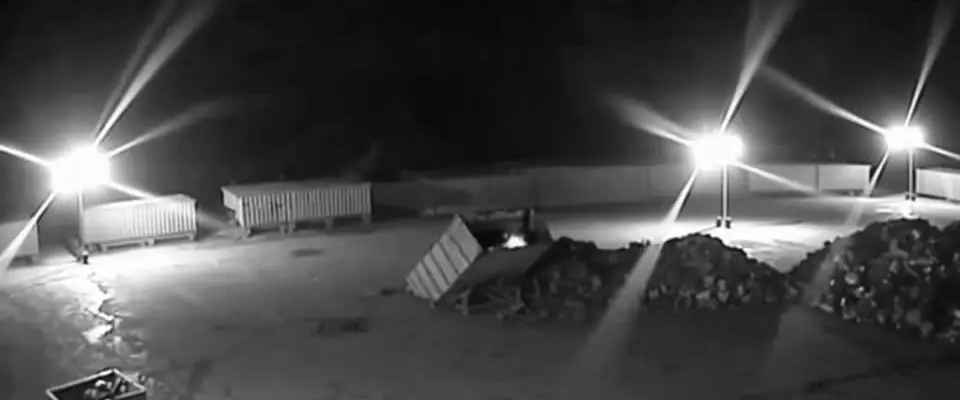
Real night-time infrared CCTV frame of an empty storage yard, the kind of view an operator is sent with an alarm eventReal footage
Real camera frame: the kind of view an operator might be sent when an alarm is raised.
AI CCTV

What is AI CCTV monitoring?

AI CCTV monitoring is software that analyses the video from your cameras and recognises what is in the picture. Instead of reacting to any change in pixels, it looks for the things you care about: a person in a restricted zone, a vehicle at the gate after hours, visible smoke or flame.

Woodcock AI runs on the CCTV cameras a site already has, through an on-site edge server or the Woodcock AI Cloud. You draw the zones and set the schedules. When the AI recognises something that matters, it sends an alert by push notification, email or SMS, with the video clip and a plain-English description of what the camera saw.

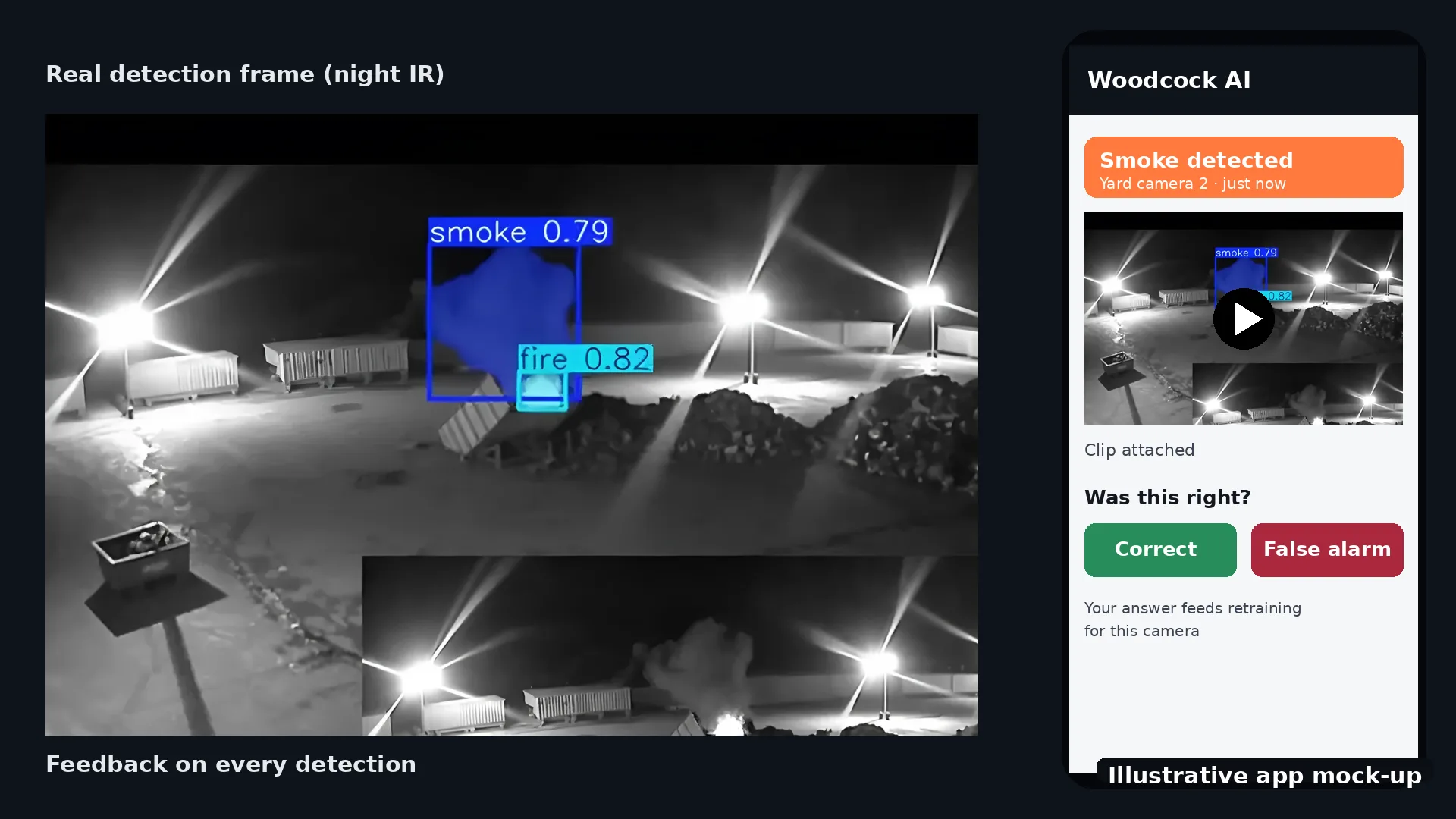
It also learns your site. The AI learns each of your cameras, so the steam vent, the swaying tree and the reflective puddle become part of the normal view. Every detection has a feedback button, and marking an alert as correct or a false alarm feeds into retraining for your site.

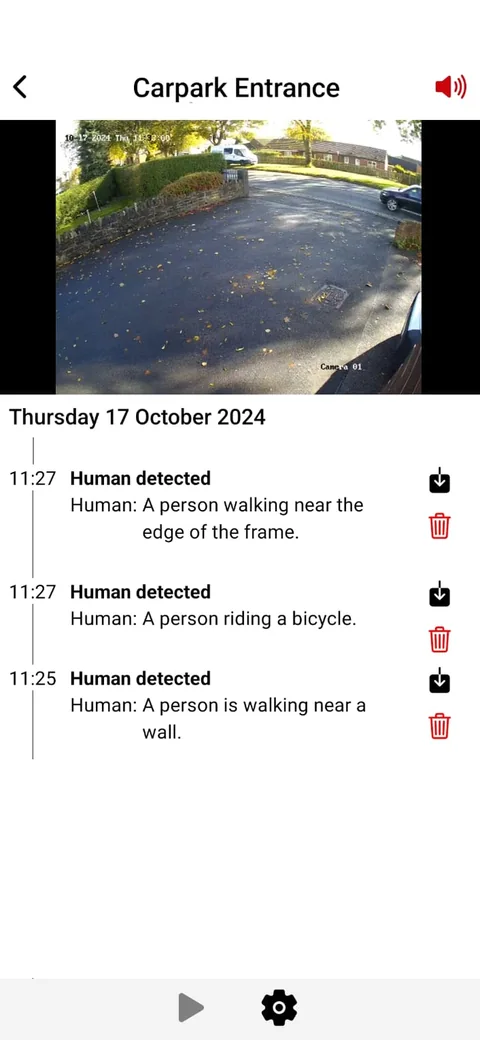
Real screenshot of the Woodcock AI app event list, showing camera detections with thumbnails and plain-English descriptions
Real app screen.
In the app

Alerts that say what happened

Each event in the app comes with its clip and a short description, so you can see in seconds whether it needs action. No operator has to look first, and nothing waits for the morning.

How Woodcock AI works from camera to alert.

Side by side

How do AI CCTV and remote monitoring compare?

Approaches, not brands. Remote monitoring is a response service; AI is detection. The third column shows the two working together. On a phone, swipe across the cards.

Comparison of remote CCTV monitoring at a monitoring centre, AI on existing CCTV, and AI with the optional ARC add-on
QuestionRemote monitoring at a centreAI on your existing CCTVAI with the ARC add-on
Who watchesTrained operators at a monitoring centre, when your site sends them an eventSoftware analyses every connected camera, around the clock; people only see the alertsThe AI watches every camera and passes its detections to the operators
What raises an alertUsually motion rules, detectors or on-site analytics that send events to the centreA recognised person, vehicle, smoke or flame, in the zones and at the times you setAI detections, sent to the centre with the clip
Rain, spiders, headlightsEach event that is sent has to be checked by an operatorClassified and filtered out; feedback teaches it each camera over timeFar fewer nuisance events reach the operator to check
Who acts on itThe operator, following the response plan agreed with the centreYou or your team, from the app, with the clip in handThe operator, following the plan agreed with the centre
What you receiveContact from the centre, as agreed in your planPush notification, email or SMS with the clip and a plain-English descriptionThe centre handles the alert as agreed with it
Smoke and fireDepends on what is connected to the centreVisible smoke and flame on camera, as an extra layer alongside certified fire alarmsThe same AI detection, with an operator checking it
Learns your siteOperators get to know a site through its alarm historyYes. It learns each camera, and every detection has a feedback button that feeds retrainingYes, the same per-site learning
Set-upA contract with a centre, plus site equipment that can send it eventsConnects to your existing ONVIF or RTSP cameras and recorder, through an on-site edge server or the Woodcock AI CloudWoodcock AI on your cameras, plus the optional paid ARC add-on, set up at the site assessment

Remote monitoring at a centre

Who watches
Trained operators at a monitoring centre, when your site sends them an event
What raises an alert
Usually motion rules, detectors or on-site analytics that send events to the centre
Rain, spiders, headlights
Each event that is sent has to be checked by an operator
Who acts on it
The operator, following the response plan agreed with the centre
What you receive
Contact from the centre, as agreed in your plan
Smoke and fire
Depends on what is connected to the centre
Learns your site
Operators get to know a site through its alarm history
Set-up
A contract with a centre, plus site equipment that can send it events

AI on your existing CCTV

Who watches
Software analyses every connected camera, around the clock; people only see the alerts
What raises an alert
A recognised person, vehicle, smoke or flame, in the zones and at the times you set
Rain, spiders, headlights
Classified and filtered out; feedback teaches it each camera over time
Who acts on it
You or your team, from the app, with the clip in hand
What you receive
Push notification, email or SMS with the clip and a plain-English description
Smoke and fire
Visible smoke and flame on camera, as an extra layer alongside certified fire alarms
Learns your site
Yes. It learns each camera, and every detection has a feedback button that feeds retraining
Set-up
Connects to your existing ONVIF or RTSP cameras and recorder, through an on-site edge server or the Woodcock AI Cloud

AI with the ARC add-on

Who watches
The AI watches every camera and passes its detections to the operators
What raises an alert
AI detections, sent to the centre with the clip
Rain, spiders, headlights
Far fewer nuisance events reach the operator to check
Who acts on it
The operator, following the plan agreed with the centre
What you receive
The centre handles the alert as agreed with it
Smoke and fire
The same AI detection, with an operator checking it
Learns your site
Yes, the same per-site learning
Set-up
Woodcock AI on your cameras, plus the optional paid ARC add-on, set up at the site assessment

The ARC add-on and phone-call add-on are optional paid extras. Which monitoring centre receives alerts, and how, is confirmed at the site assessment.

Alert journey

What happens when an alert is raised?

With Woodcock AI, the journey from camera to person is short. The AI decides whether something is worth an alert before anyone is disturbed, and the optional add-ons extend where the alert goes.

Illustrative diagram of the alert journey: camera to AI, nuisance motion filtered out, alert with clip to the app, with optional paid add-ons sending the alert to a monitoring centre operator or a phone callThe alert journeyIllustrative diagramCameraYour existing CCTVAIEdge server or cloudAlert + clipPlain-English descriptionAppPush, email or SMSFiltered outRain, shadows, animalsFeedback button on each detection feeds retrainingARC operatorOptional paid add-onPhone callOptional paid add-onSolid: standard alerts. Dashed blue: optional paid add-ons.Illustrative diagram of the alert journey from camera to AI to app, with optional paid add-ons to a monitoring centre operator or a phone callThe alert journeyIllustrativeCameraYour existing CCTVAIEdge server or cloudFilteredNuisanceAlert + clipPlain-English descriptionAppPush, email or SMSARC operatorOptional paid add-onPhone callOptional add-onDashed blue: optional paid add-ons.Each detection has a feedback buttonthat feeds retraining for your site.
Illustrative diagram, not a real screen: standard alerts go to the app; the ARC and phone-call routes are optional paid add-ons.
  1. CameraYour existing camera sees something change.
  2. AIThe AI on an edge server or in the Woodcock AI Cloud checks what it is: a person, a vehicle, smoke, flame or just nuisance motion.
  3. FilterRain, shadows, headlights and animals are filtered out, using what the AI has learned about that camera.
  4. AlertA real detection becomes an alert with the clip and a plain-English description.
  5. YouThe alert reaches the app by push notification, email or SMS, and you can mark it correct or a false alarm.
  6. OptionalWith an optional paid add-on, the alert also goes to a monitoring centre operator or rings a phone.
False alarms

Why do monitoring centres get so many false alarms?

Because many CCTV alarms come from motion rules that cannot tell a raindrop from a person. A rule that fires when enough pixels change will react to rain on the lens, a spider on the dome, headlights sweeping a wall, moving shadows and animals crossing the yard.

Each of those events has to be checked by someone. A stream of nuisance alarms takes operator time and makes it harder to treat every alarm as urgent.

AI changes what gets sent. It classifies what moved, ignores the nuisance it has learned for each camera and only raises an alert for the things in your zones and schedules. Switch the view below to compare a night of motion events with what the AI would send. For the causes and quick fixes, read our guide to reducing CCTV false alarms.

Motion rule: every event is sent

  • 01:52Motion, camera 2Rain on lens
  • 02:05Motion, camera 2Rain on lens
  • 02:19Motion, camera 6Headlights on fence
  • 02:40Motion, camera 1Spider on dome
  • 03:07Motion, camera 4Fox in yard
  • 03:26Motion, camera 3Vehicle at the gate

With AI: only the real detection

  • 03:26Vehicle detected, camera 3Vehicle at the gate in an armed zone, clip attached
Illustrative example of one night on one site, not real data.
Quick selector

Do I need a monitoring centre for my CCTV?

Not always. The deciding question is who will act on an alert, especially at night and at weekends. Answer three questions for a suggested starting point.

1. Who can respond to an alert out of hours?
2. How should an urgent alert reach you?
3. What worries you most?

AI alerts only

Best if your own team or a keyholder can respond. Every alert reaches the app with the clip and a plain-English description, so whoever is on call can see what happened and decide what to do.

AI alerts plus the phone-call add-on

Best if someone can respond but an app notification at night could be missed. An urgent detection rings a phone as well as sending the clip to the app. The phone-call add-on is an optional paid extra.

AI alerts plus the ARC add-on

Best if you want trained operators to check alerts and follow an agreed response plan, or nobody is reliably on call. The AI filters out nuisance motion first, so the operators see detections with the clip. The ARC add-on is an optional paid extra.

A guide, not a site survey. The free site assessment looks at your actual cameras, risks and who responds.

Working together

How do AI and a monitoring centre work together?

The two fit together naturally. AI is good at watching every camera, all the time, without getting tired. Operators are good at judging a situation and following a procedure. Put the AI in front and the operators spend their time on events that matter.

With the optional paid ARC add-on, Woodcock AI detections can be sent to a monitoring centre, with the clip, as well as to your app. The operator sees what the AI recognised rather than a bare motion event, and follows the response plan agreed with the centre. With the optional paid phone-call add-on, an urgent detection rings a phone, which suits sites where someone can respond but a notification at night might be missed.

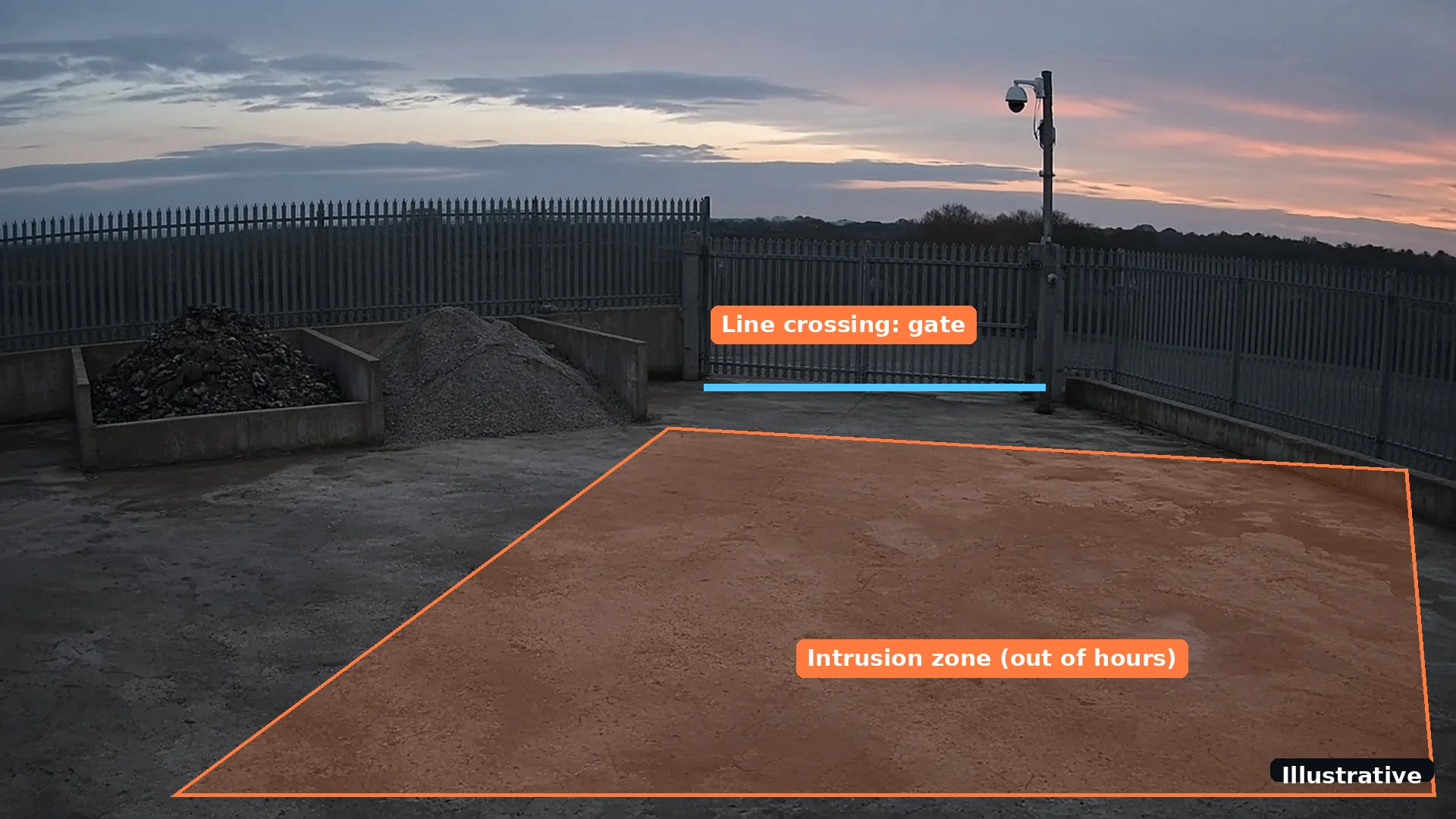
Zones and schedules shape what reaches anyone. A line along the perimeter fence can be armed only after hours, while the gate and the yard are watched for people and vehicles at night and smoke and flame around the clock. See intrusion and human detection for how zones and schedules work.

Illustrative render of a yard at night with a detection zone and a line-crossing rule drawn over the camera viewIllustrative
Illustrative render: a detection zone and line-crossing rule drawn over a yard camera view.
1

AI alerts only

Alerts to the app with the clip, for sites with their own team or keyholder.

2

Plus phone-call alerts

An optional paid add-on, so an urgent detection rings a phone.

3

Plus the ARC add-on

An optional paid add-on, so trained operators check and act on detections.

Smoke and fire

Can the same cameras watch for smoke and fire?

Yes. Many monitored CCTV systems are set up for intruders. With AI, the same cameras can also watch for visible smoke and flame, day and night, which matters on sites such as waste yards where a fire can start when nobody is around.

Smoke and flame detection on CCTV complements certified fire alarms; it does not replace them. Video detection adds an early visual warning, with a clip that shows where the smoke is, but it can only see what the camera can see. Heat inside a pile, or smoke in a room with no camera, is outside its view. Keep your certified fire alarm, and treat camera-based detection as an extra layer. Read the video smoke detection guide for how it works and its limits, or compare it with thermal cameras in video AI vs thermal vs on-camera analytics.

Real footage
Real detection: smoke and fire picked out on a waste site camera.
Per-site learning

How does the AI get better on my site?

Every site is different: one camera sees headlights all night, another sees spray from a wash bay. The AI learns each camera's normal view, and the feedback button on every detection feeds retraining for your site, so you, and the operators if you use the ARC add-on, see fewer nuisance alerts over time.

Illustrative mock-up of a Woodcock AI detection card with feedback buttons for correct and false alarmIllustrative
Illustrative mock-up, not a real screen: the feedback button on each detection feeds retraining.
CCTV installers and resellers

Who sets it up?

Woodcock AI works with UK CCTV installers and resellers. If you fit or maintain CCTV, you can add AI smoke, fire and intrusion detection to the cameras you already install and sell it as a recurring monthly service, under your brand or ours. We set up the accounts and analytics and manage the backend; you keep the customer relationship.

See the installer and reseller programme for how it works. Site owners can start with the free site assessment.

FAQ

Remote CCTV monitoring: common questions

What is remote CCTV monitoring?

Remote CCTV monitoring is a service where trained operators at a monitoring centre, often called an alarm receiving centre (ARC), receive alarm events from your cameras, look at the live or recorded view and respond. Typical responses include contacting a keyholder, calling the police or, where speakers are fitted, giving an audio warning.

What is the difference between AI CCTV and remote monitoring?

Remote monitoring is people watching events and responding. AI CCTV is software that analyses the video itself, recognising people, vehicles, smoke and flame, filtering out nuisance motion and sending an alert with the clip. One is a response service, the other is detection. They can be used together.

Do I need a monitoring centre for my CCTV?

Not always. If your own team or a keyholder can respond, AI alerts to the app with the clip may be enough. A monitoring centre makes sense when you want trained operators to check alerts and act, or nobody is reliably on call. Alerts to a monitoring centre (ARC) and phone-call alerts are available as optional paid add-ons.

Does Woodcock AI include a monitoring centre?

No. Woodcock AI is AI detection on your existing cameras, with alerts to the app by push notification, email or SMS. Alerts to a monitoring centre (ARC) and phone-call alerts are available as optional paid add-ons. If you already use a monitoring centre, tell us which one at the site assessment.

Why do monitoring centres get so many false alarms?

Many CCTV alarms come from basic motion rules, which react to any change in the picture, such as rain, spiders, headlights, shadows and animals. Each event sent to a centre has to be checked. AI that classifies what it sees sends far fewer nuisance events.

Can AI CCTV replace a monitoring centre?

It can replace the watching, not the response. AI can watch every camera around the clock and decide what is worth an alert, but someone still has to act on it: your team, a keyholder or, with the optional paid add-on, a monitoring centre.

Can I keep my current monitoring centre?

Talk to us at the site assessment. Tell us which monitoring centre you use and how it receives alarms today, and we will confirm how Woodcock AI alerts could reach it as part of the optional paid ARC add-on.

Does the AI learn my site?

Yes. The AI learns each of your cameras, and every detection has a feedback button. Marking a detection as correct or a false alarm feeds into retraining for your site, so alerts get more relevant over time.

Do I need new cameras?

Usually not. Woodcock AI works with most ONVIF and RTSP cameras and recorders. The free site assessment confirms which of your cameras are suitable and what each can cover.

More answers in the Woodcock AI FAQ, and terms such as ARC explained in the glossary.

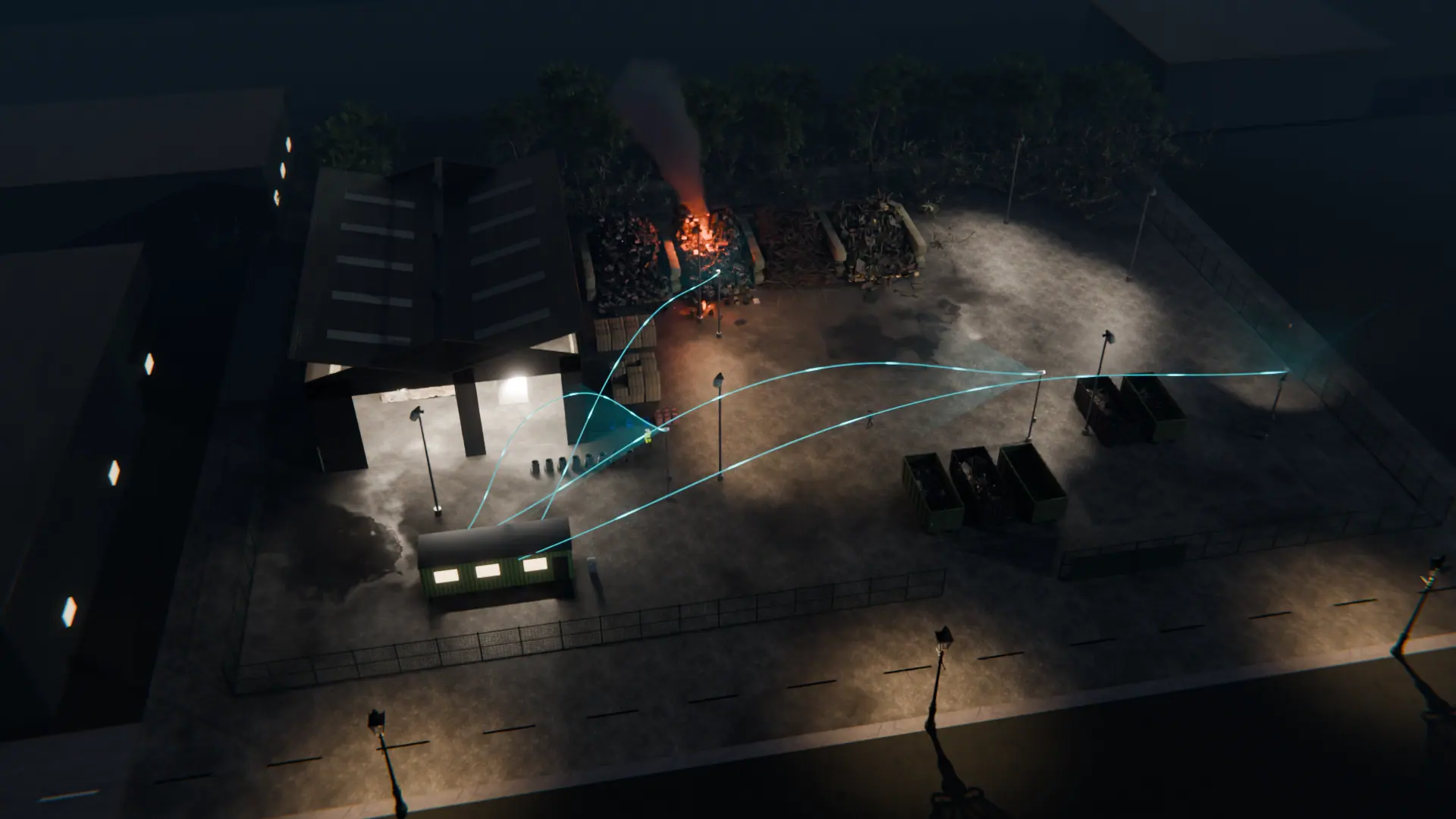
Night-time 3D view of a waste site with CCTV cameras linked to Woodcock AI watching the stockpiles, yard and buildings
Next step

Find out what your cameras could do

A free site assessment reviews your cameras and recorder, who responds to alerts today and whether the ARC or phone-call add-on would help, before anything is set up.

Illustrative 3D render
Free site assessment