

What it is
Guard: A trained person on site, on patrol, at a gate or in a gatehouse.
AI on existing CCTV: Software that analyses your existing cameras and sends an alert with the clip when it sees something it has been set to look for.
Short answer: guards and AI CCTV do different jobs. A guard brings presence, judgement and the ability to act on site. AI on your existing cameras watches every connected camera at once and sends an alert with the clip. On many sites the best set-up is both: the AI does the constant watching and tells the guard or keyholder where to look.
 Illustrative example · Site entrance at night
A fair comparison, without costs. Each has strengths the other does not.
| Security guard | AI on existing CCTV | |
|---|---|---|
| What it is | A trained person on site, on patrol, at a gate or in a gatehouse. | Software that analyses your existing cameras and sends an alert with the clip when it sees something it has been set to look for. |
| Presence | Visible on site. Can speak to visitors, challenge people and deter by being there. | No physical presence. It relies on the cameras, signage, lights or audio you already have. |
| Coverage | Sees what is in front of them at the time. A patrol covers one area at a time. | Watches every connected camera at once, where each camera has a clear view. |
| Judgement | Full human judgement, context and common sense. | Classifies what it sees, such as a person, a vehicle, smoke or flame, and learns each camera on your site with feedback. |
| Response | Can act on the spot: lock up, call the emergency services, give first aid, manage access. | Alerts the people you choose by app, email or SMS, with the clip. Alerts to a monitoring centre (ARC) and phone-call alerts are available as optional add-ons. |
| Record | Logbooks and incident reports. | A clip and a time for every alert, kept in the app. |
| Rules | Contracted guards need a front line SIA licence, and you must check it before hiring.[1][2] Lone working risks must be managed.[3] | CCTV must follow data protection law; the ICO publishes guidance and a self-assessment checklist.[4] |
Guard: A trained person on site, on patrol, at a gate or in a gatehouse.
AI on existing CCTV: Software that analyses your existing cameras and sends an alert with the clip when it sees something it has been set to look for.
Guard: Visible on site. Can speak to visitors, challenge people and deter by being there.
AI on existing CCTV: No physical presence. It relies on the cameras, signage, lights or audio you already have.
Guard: Sees what is in front of them at the time. A patrol covers one area at a time.
AI on existing CCTV: Watches every connected camera at once, where each camera has a clear view.
Guard: Full human judgement, context and common sense.
AI on existing CCTV: Classifies what it sees, such as a person, a vehicle, smoke or flame, and learns each camera on your site with feedback.
Guard: Can act on the spot: lock up, call the emergency services, give first aid, manage access.
AI on existing CCTV: Alerts the people you choose by app, email or SMS, with the clip. Alerts to a monitoring centre (ARC) and phone-call alerts are available as optional add-ons.
Guard: Logbooks and incident reports.
AI on existing CCTV: A clip and a time for every alert, kept in the app.
Guard: Contracted guards need a front line SIA licence, and you must check it before hiring.[1][2] Lone working risks must be managed.[3]
AI on existing CCTV: CCTV must follow data protection law; the ICO publishes guidance and a self-assessment checklist.[4]
The AI watches; people decide. An alert arrives with the clip, so whoever receives it, a guard, a keyholder or your own team, can see what triggered it and choose what to do.
AI on existing cameras classifies what it sees, such as a person, a vehicle, smoke or flame, and learns each camera on your site, with a feedback button to mark alerts as useful or not. That helps cut the alerts caused by rain, headlights or animals, so the people responding are not sent to check every movement. See the guide to reducing CCTV false alarms.
AI alerts point the guard to the camera that saw something, with the clip, so they can check it before walking out to a far corner. The guard stays in charge of what happens next.
AI watches the existing cameras and alerts a keyholder or your own team with the clip. Alerts to a monitoring centre (ARC) and phone-call alerts are available as optional add-ons.
Where a camera can see it, AI can alert on visible smoke or flame. It complements, and does not replace, certified fire alarms.


A guard is the better choice when you need someone physically on site: managing a gate or visitors, challenging people, responding in person, or doing tasks such as locking up and checks. Your insurer or contract may also require one. Whichever you use, our out-of-hours site security checklist covers the basics of locking up.
AI on existing CCTV helps most on large or spread-out sites with many cameras, in quiet hours, on sites with no guard out of hours, and where cameras can see areas at risk of fire. It works on the cameras you already have, and what each camera can see is confirmed in a free site assessment. If you are weighing a monitoring centre too, see AI CCTV vs remote CCTV monitoring.
Guards and the rules. Guards supplied under a contract usually need a front line SIA licence, and you must check it before hiring.[1][2] Employers must manage the risks before anyone works alone, and HSE gives security staff as an example of lone working.[3] Any CCTV, with or without AI, must follow data protection law.[4]
A free site assessment checks which of your existing cameras can be connected, what each can see and which detections are supported.
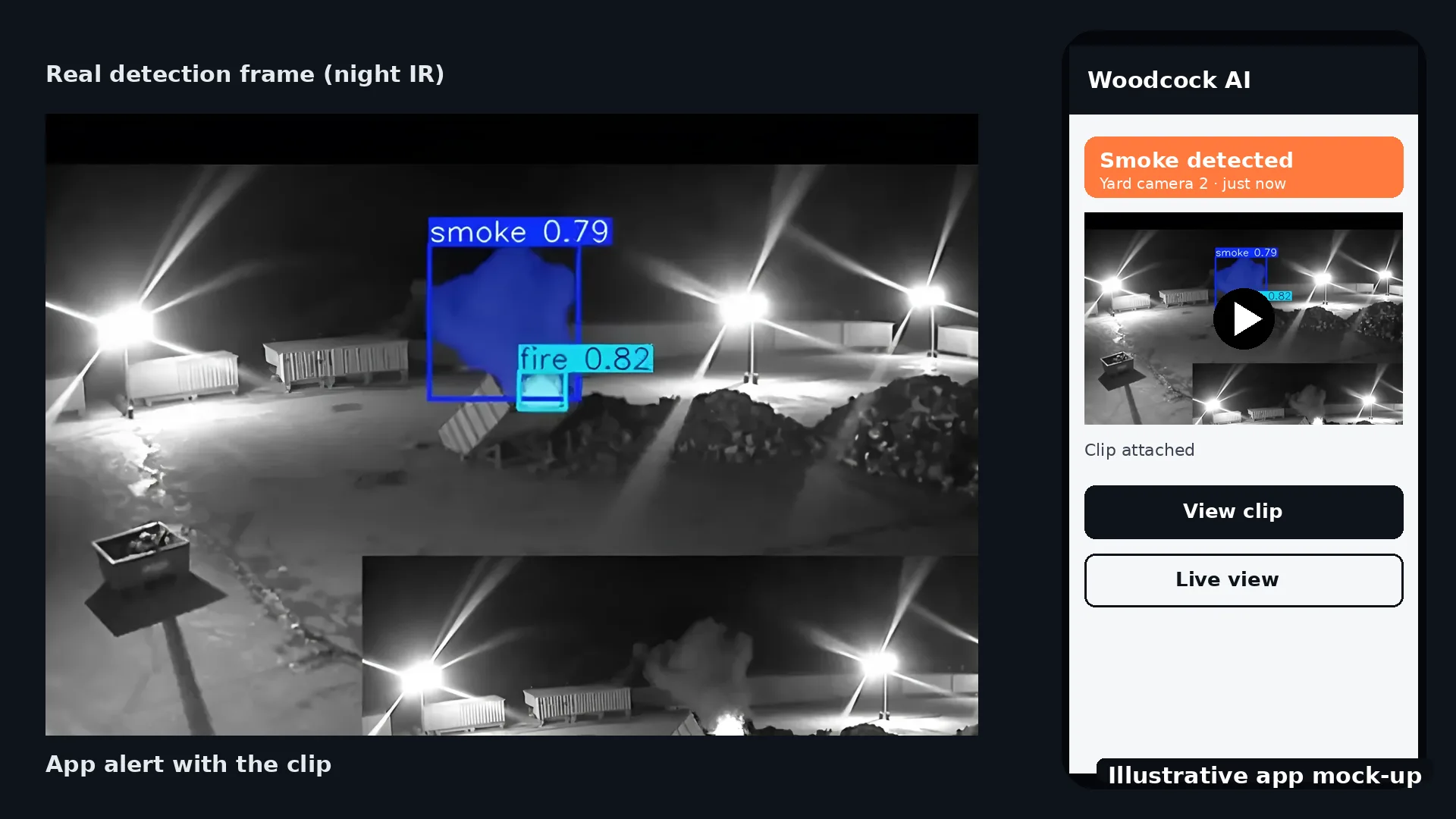
Each alert arrives by app push notification, email or SMS, with the clip and the camera name, so the person receiving it can see what happened before deciding what to do.
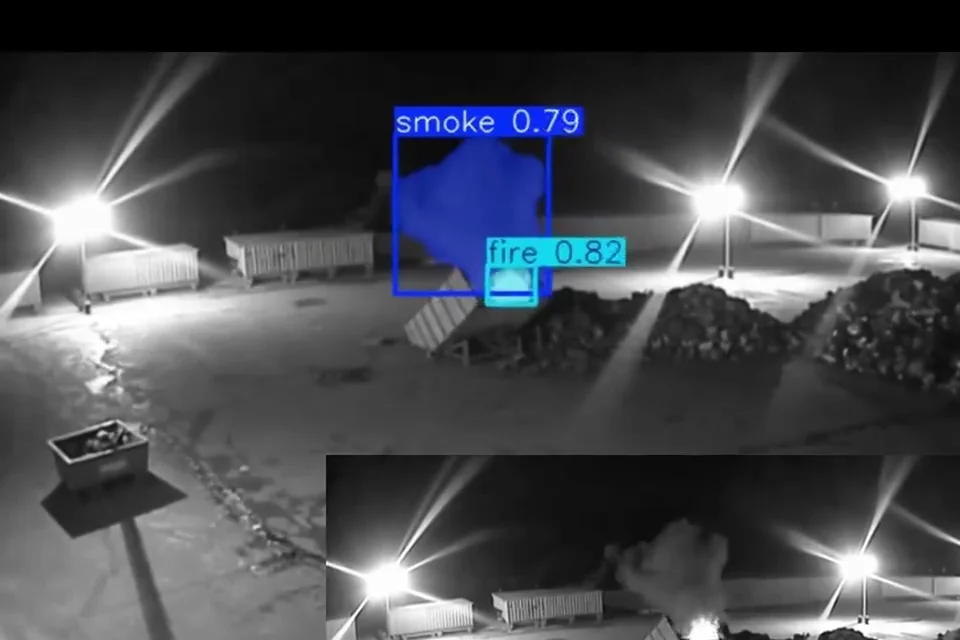 Real footage
Not in general. A guard brings presence, judgement and the ability to act on site, which cameras cannot. AI on existing CCTV adds constant watching of every connected camera and an alert with the clip. Most sites that use both treat AI as a way to help guards and keyholders, not as a replacement.
The AI watches the cameras and sends an alert with the clip to the guard, the keyholder or your own team. The guard can check the clip, decide what it is and choose how to respond. Alerts to a monitoring centre (ARC) and phone-call alerts are available as optional add-ons.
When you need someone physically on site: managing a gate or visitors, challenging people, responding in person, or doing tasks such as locking up and checks. Your insurer or contract may also ask for a guard.
On large or spread-out sites with many cameras, in quiet hours, on sites with no guard out of hours, and where you want smoke and flame alerts on cameras that can see the area.
Employers must manage the risks before people work alone, and HSE gives security staff as an example of lone working.[3] An alert with the clip can let a guard see what triggered it before going to look. It is not a lone working system in itself.
Woodcock AI works with the cameras you already have. Which cameras and detections are supported on your site is confirmed in a free site assessment.
Any CCTV, with or without AI, must follow data protection law. The ICO publishes guidance and a CCTV self-assessment checklist.[4]
General information, not legal or security advice.
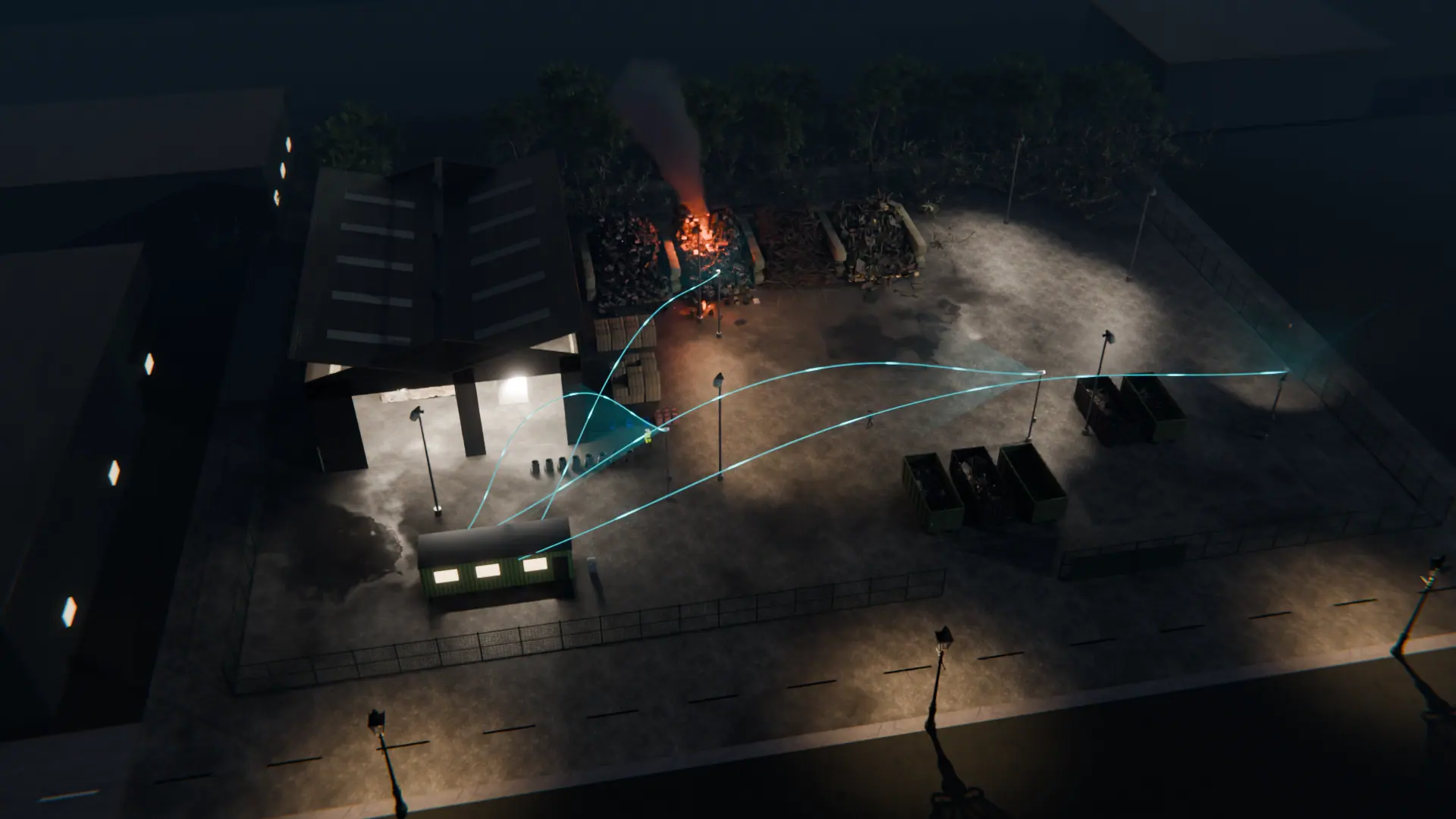
A free site assessment checks which existing cameras can be connected and what each can see.
Illustrative 3D render